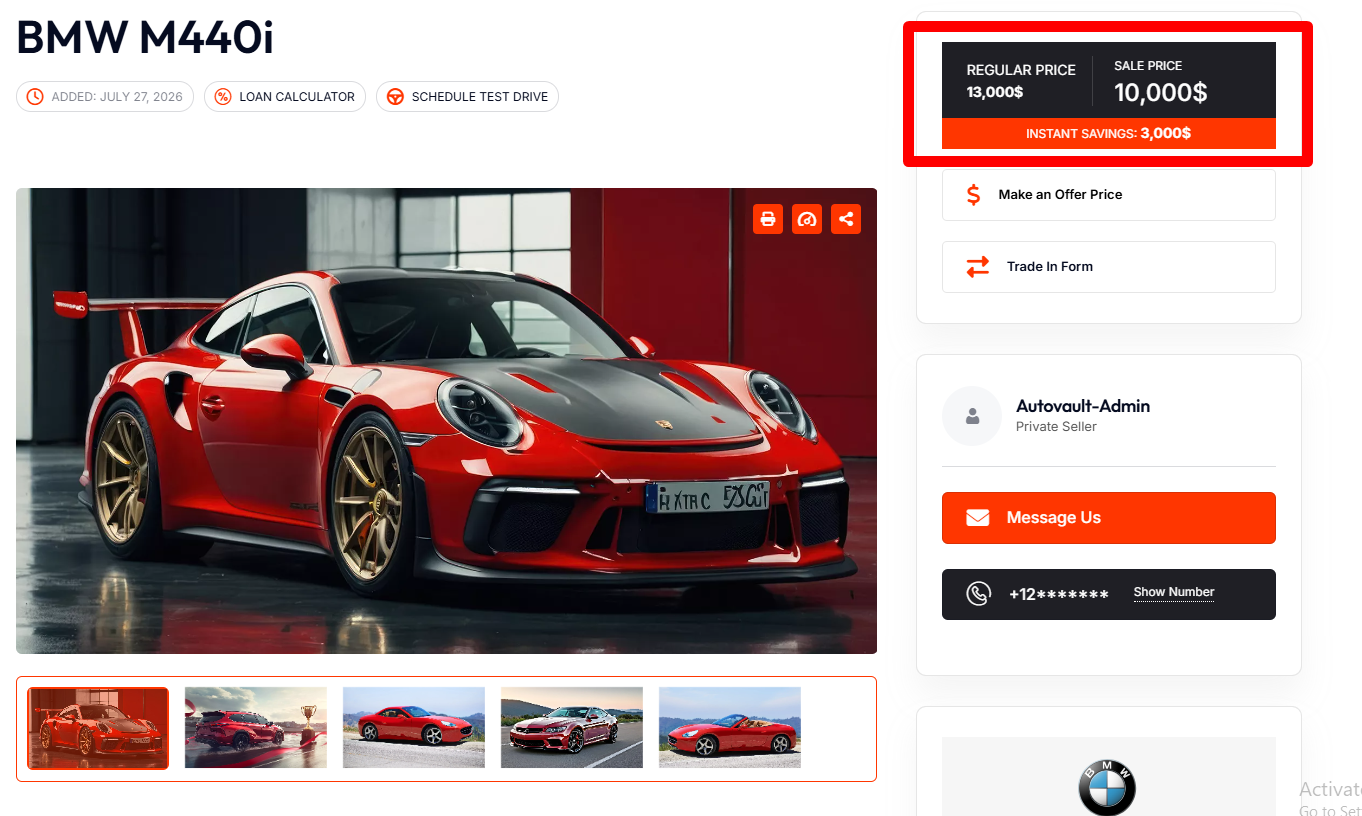
The Price section helps you set different types of pricing, pricing labels, and pricing descriptions for your listing.
Here’s the Price section details.
- Regular Price
- Sale Price
- Request a Price Option
Builder Area:
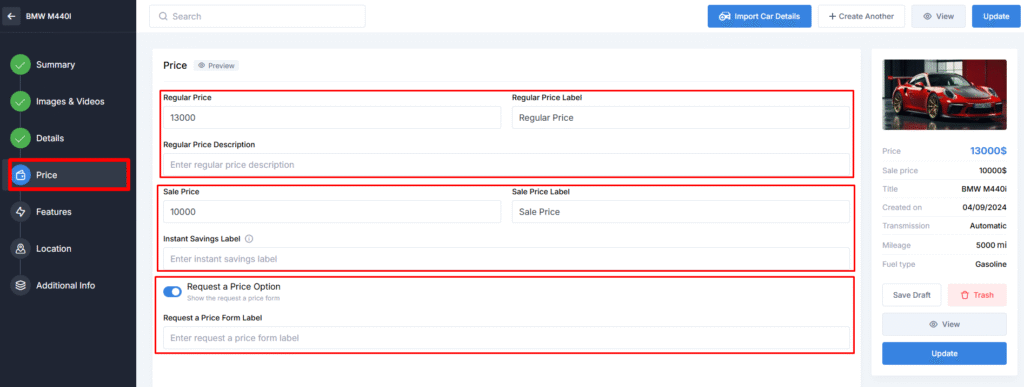
- Regular Price – Enter the regular price of the vehicle.
- Regular Price Label – The word/words that will appear with the regular price.
- Regular Price Description – In this field, you can give a brief price description.
- Sale Price – Enter the sale price of the vehicle.
- Sale Price Label – The word/words that will appear with the sale price.
- Instant Savings Label – Provide the text to illustrate the difference between regular and sale prices.
- Request a Price Option – If you enable this setting, the price of the vehicle will be hidden. Instead, there will be a special button that opens a form. After the user submits the form, the admin will be informed via email about the request, and kindly message the client to discuss the price.
- Request a Price Form Label – here you can modify the label for the Request a Price Form.
Preview Area: