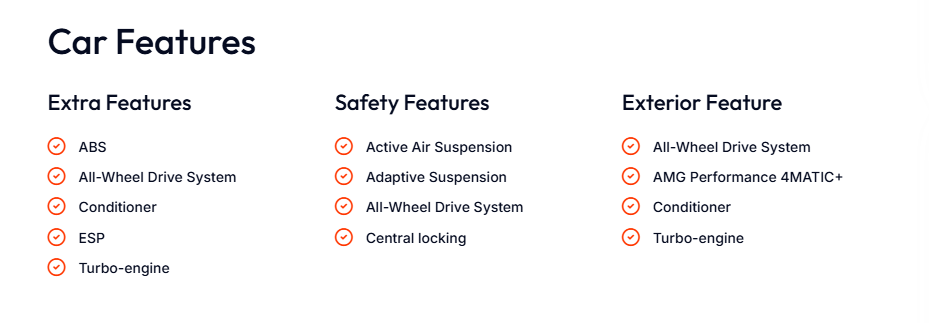
The Features widget manages adding and removing the items that a car has, such as ABS, Bluetooth, auxiliary heating, tire pressure monitoring sys., turbo engine, nitro, etc.
Here’s the Features section details.
- Add New Item
- Edit Features List
- Drag and Drop Section
- Edit Section Item
Builder Area:
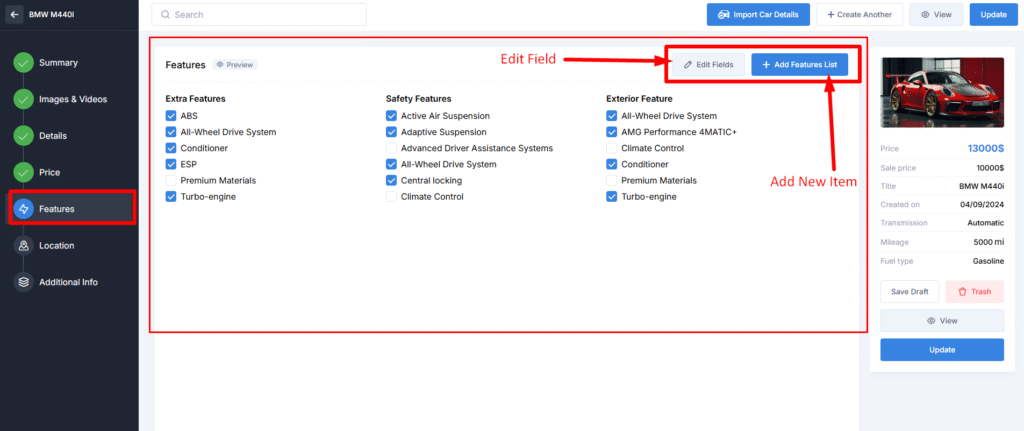
You can manage the group or its features by clicking the Edit Fields button:
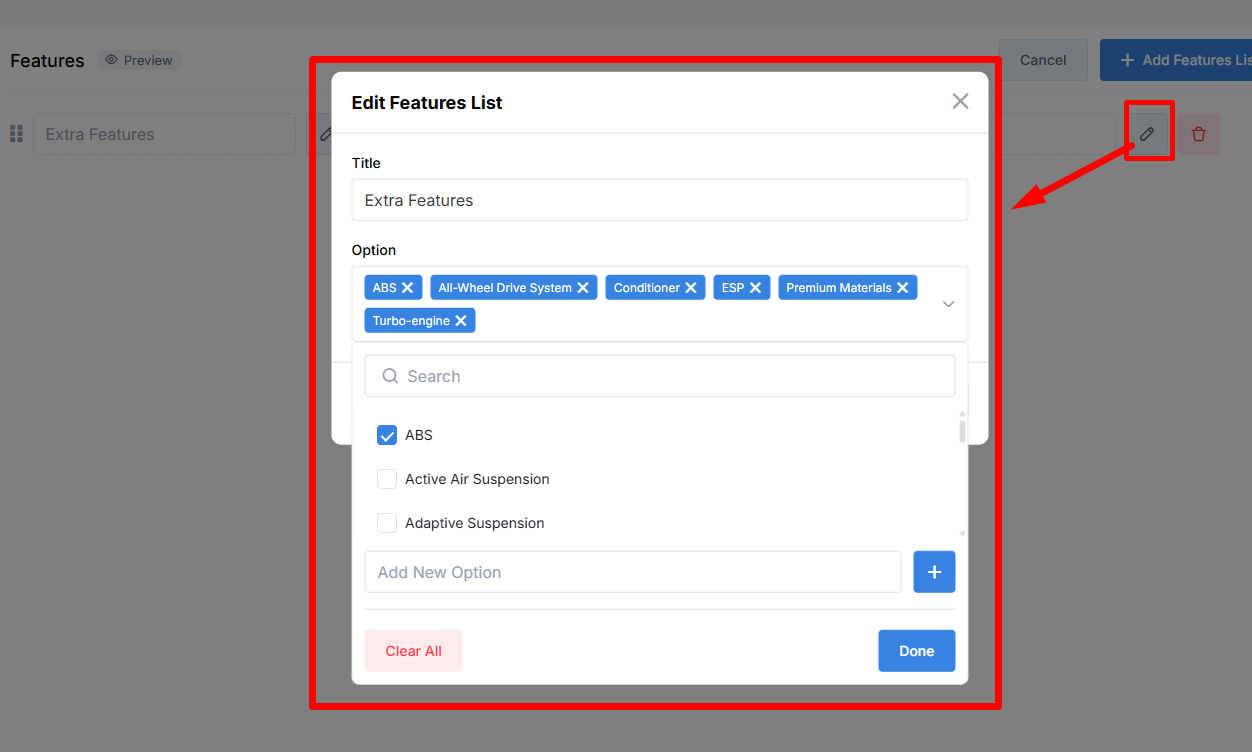
If you want to add a new features list, use the Add Features List, enter a Title, and select features for it. It is possible to add new options by typing them into the field.
Preview Area: