
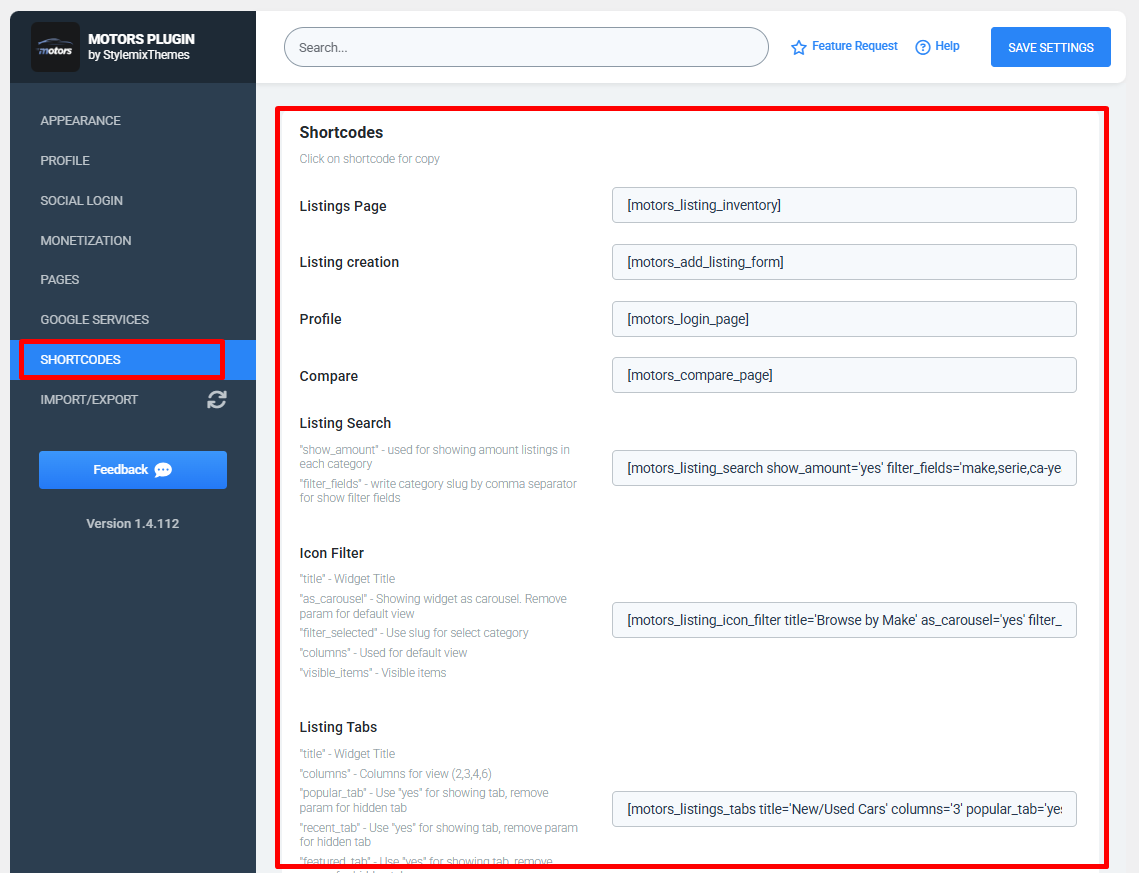
Listings Page
The Listings Page shortcode displays the complete inventory of available vehicle listings.
[motors_listing_inventory]— Displays all published vehicle listings on the selected page.
Listing Creation
The Listing Creation shortcode displays the listing submission form, allowing users to create and publish new vehicle listings.
[motors_add_listing_form]— Displays the Add Listing form.
Profile
The Profile shortcode displays the user authentication and profile page.
[motors_login_page]— Displays the login, registration, and user profile page.
Compare
The Compare shortcode allows users to compare multiple vehicle listings side by side.
[motors_compare_page]— Displays the vehicle comparison page.
Listing Search
The Listing Search shortcode displays an advanced vehicle search form with customizable filter options.
show_amount— Displays the number of available listings in each category.filter_fields— Specifies which filter fields are displayed by entering category slugs separated by commas.
Icon Filter
The Icon Filter shortcode displays vehicle categories using icons for quick browsing and filtering.
title— Sets the widget title.as_carousel— Displays the filter as a carousel.filter_selected— Selects the default category using its slug.columns— Sets the number of columns displayed.visible_items— Specifies the number of visible items in carousel mode.
Listing Tabs
The Listing Tabs shortcode displays vehicle listings inside tabbed sections, making it easier to organize different listing categories.
title— Sets the widget title.columns— Specifies the number of columns displayed.popular_tab— Enables or disables the Popular tab.recent_tab— Enables or disables the Recent tab.featured_tab— Enables or disables the Featured tab.show_more— Displays a Show More button for loading additional listings.
Note: Click any shortcode to copy it to your clipboard, then paste it into a page, post, or widget to display the corresponding Motors Plugin feature.