
The Pages section allows you to assign the required pages used by the Motors Plugin. These settings define where users can browse listings, compare vehicles, manage their profiles, and access other important marketplace pages.
This page includes the following options:
- Listings Page
- Compare Page
- Profile Page
- Show Checkbox Terms of Service
- Terms of Service Page
- Listing Creation Page
- Pricing Plans Page
- Page for Dealer List
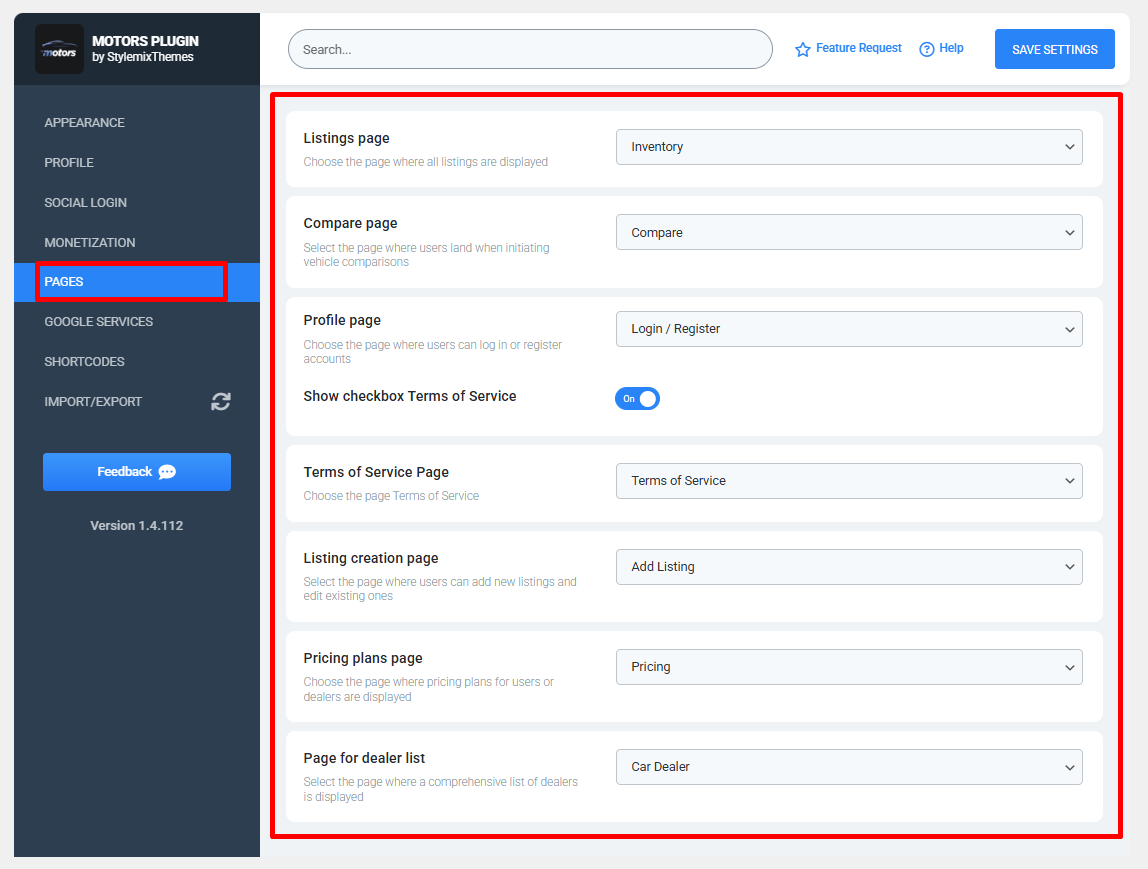
- Listings Page — Selects the page where all vehicle listings are displayed.
- Compare Page — Specifies the page where users can compare multiple vehicles.
- Profile Page — Assigns the page where users can log in, register, and manage their accounts.
- Show Checkbox Terms of Service — Enables or disables the Terms of Service acceptance checkbox during user actions.
- Terms of Service Page — Selects the page that contains your Terms of Service.
- Listing Creation Page — Specifies the page where users can create new listings and edit their existing listings.
- Pricing Plans Page — Selects the page where available pricing plans for users or dealers are displayed.
- Page for Dealer List — Assigns the page that displays the complete list of registered dealers.
Note: Ensure that each selected page has been created and published before assigning it in these settings. After making any changes, click Save Settings to apply the updated page configuration.