
Motors Plugin > Settings > Monetization
The Monetization Settings section allows you to configure payment-related options for your marketplace. You can charge users for listing submissions, featured listings, and dealer registrations to generate revenue from your website.
This page includes the following sections:
- Become a dealer button
- Charge for Listing Submissions
- Monetize Featured Listings
- Monetize Dealer Registrations
- Enable online listing sales
Become a dealer button
Become a Dealer Button — Enables or disables the Become a Dealer button, allowing users to register or upgrade to a dealer account.
Charge for Listing Submissions
The Charge for Listing Submissions section lets you require users to pay before publishing listings. Configure the listing fee, duration, and payment options for standard submissions.
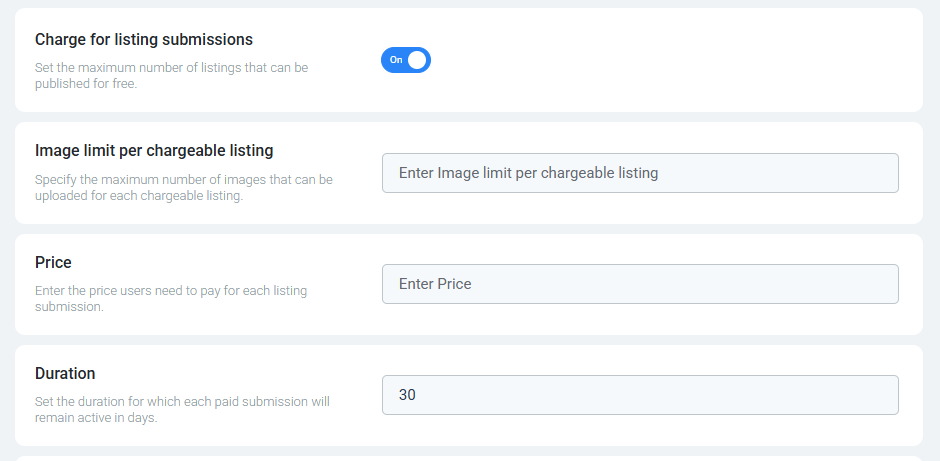
- Enable Charge for listing submissions — Enables or disables paid listing submissions.
- Image limit per chargeable listing— Specify the maximum number of images that can be uploaded for each chargeable listing.
- Price — Sets the fee charged for each listing submission.
- Duration — Specifies how long a listing remains active after publication.
Monetize Featured Listings
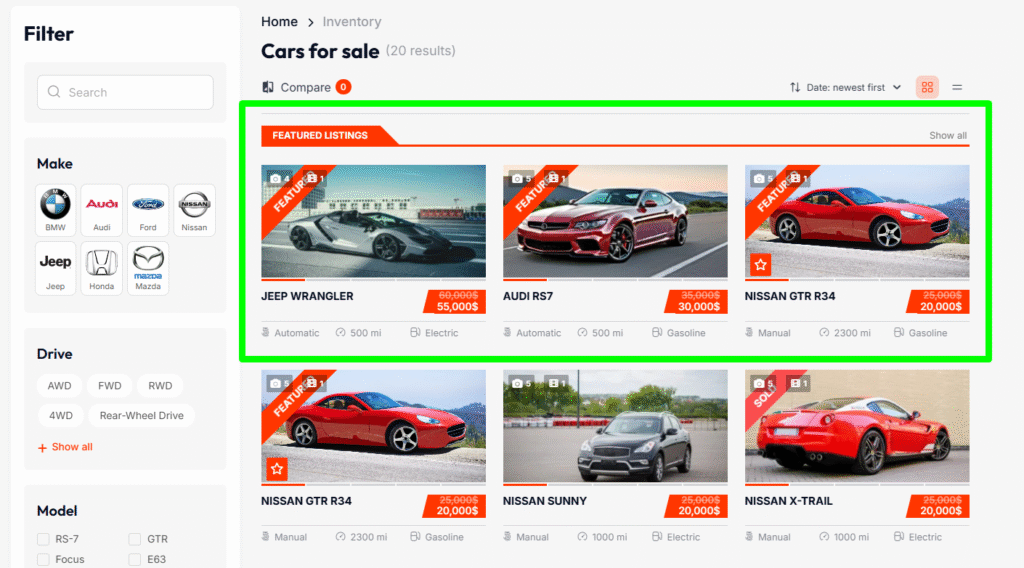
The Monetize Featured Listings section allows you to charge users for promoting their listings as featured. Featured listings receive greater visibility across the website.
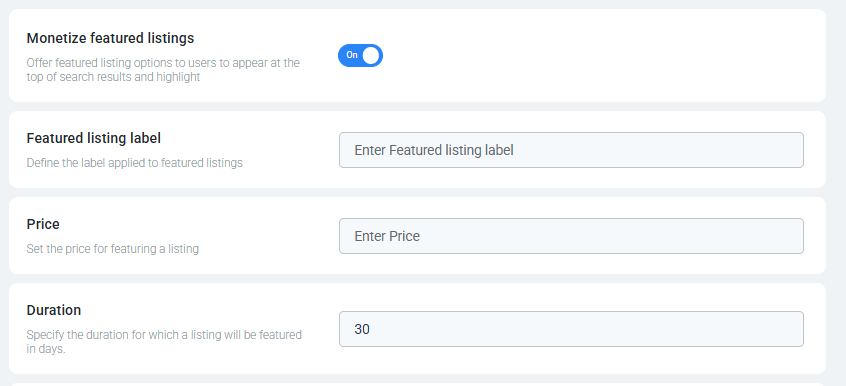
- Enable Featured Listings — Enables or disables paid featured listings.
- Featured Listings Label — Sets the label displayed on featured listings.
- Price — Sets the fee required to feature a listing.
- Duration — Specifies how long a listing remains featured.
Live Preview:
Monetize Dealer Registrations
The Monetize Dealer Registrations section allows you to charge users when registering as dealers. Configure the registration fee and dealer subscription options.
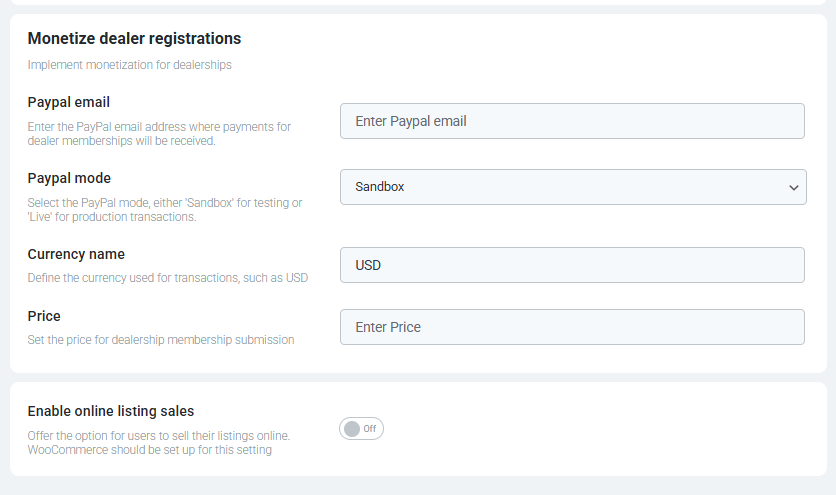
- PayPal Email – Enter the PayPal email address where payments for dealership memberships will be received. All dealership registration payments will be processed through this email.
- PayPal Mode – Choose between ‘Sandbox‘ or ‘Live‘
- Sandbox – Use this mode to test payments without making real transactions (for testing purposes).
- Live – Select this mode when you are ready to accept actual payments (for production payments).
- Currency Name – Define the currency in which payments will be processed (e.g., USD, EUR, etc.).
- Price – Set the price for dealership membership registration. Dealerships will be required to pay this amount to register on the platform.
Enable online listing sales
Offer the option for users to sell their listings online. WooCommerce should be set up for this setting.