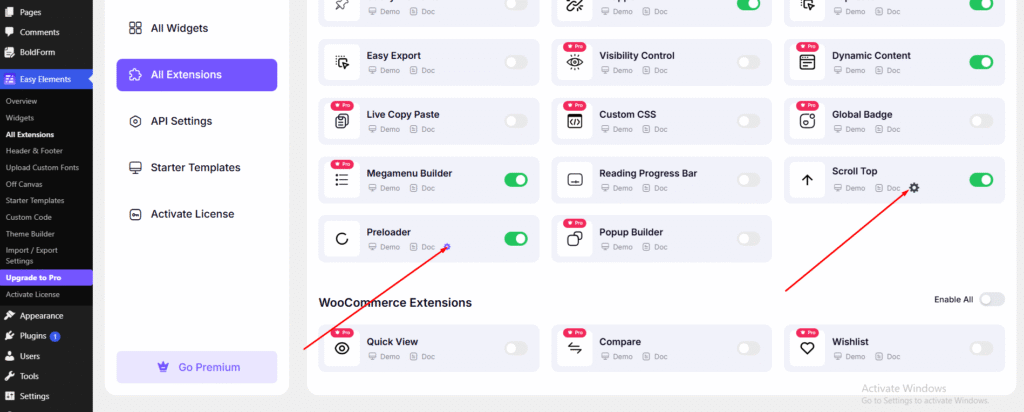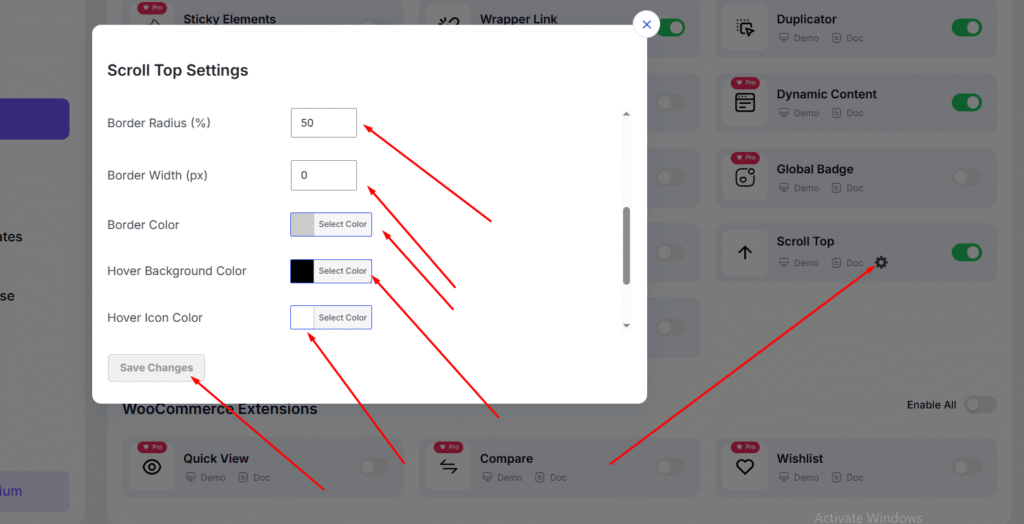
At General section you can do below things
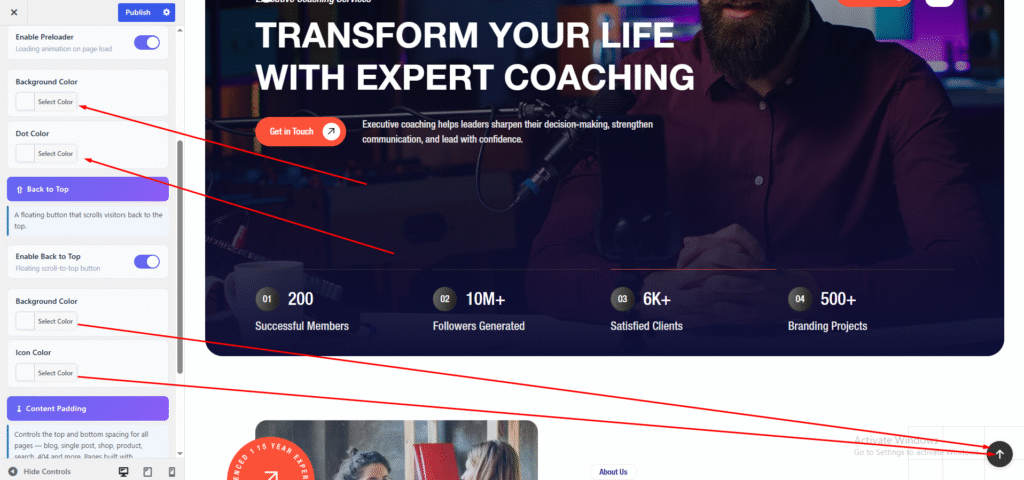
- Preloader On/Off
- Preloader Background Color
- Preloader Dot Color
- Back To Top On/Off
- Change Scrollbar Color

You can set the preloader and change the Scroll to Top button color here.
For more Preloader and Scroll to Top options, go to:
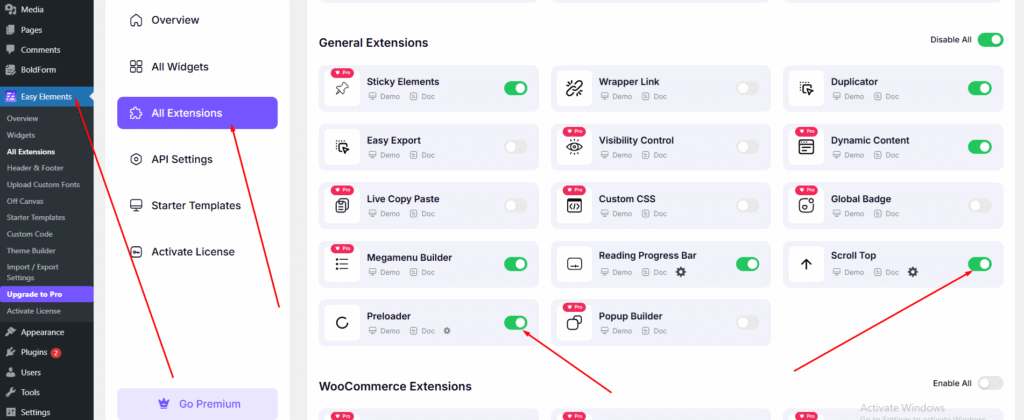
Dashboard → Easy Elements → All Extensions
- Preloader
- Scroll top
Simply click the button to enable or configure the feature.
You can change the color by clicking the Settings icon. A popup will appear, where you can customize the color.