
1. First go to Easy Elements -> Header & Footer.
Then you will get All header and footer Layouts here and you can make your new header or footer as well.
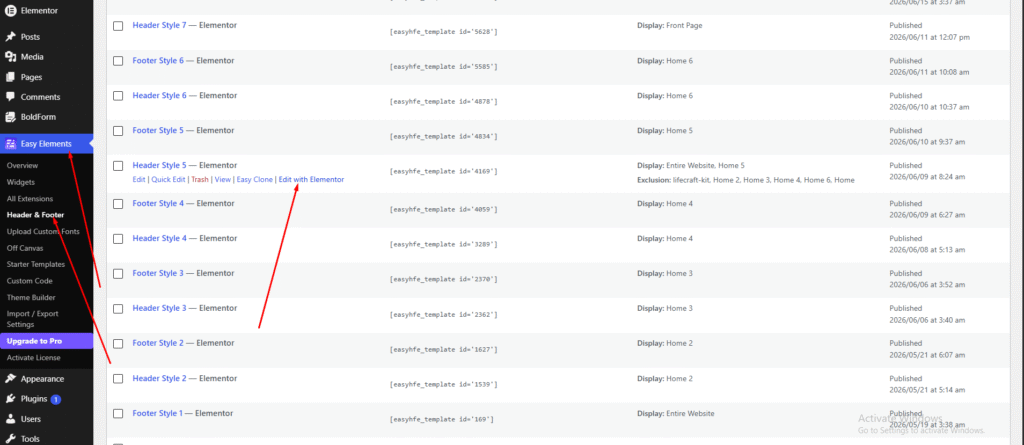
2. Then select any header you want to edit and just click to edit with elementor
3. Then you can easily add the site logo, menu, and as like you want using elementor. You can add anything using drag & drop system. Our all theme same way you can change header or footer content.
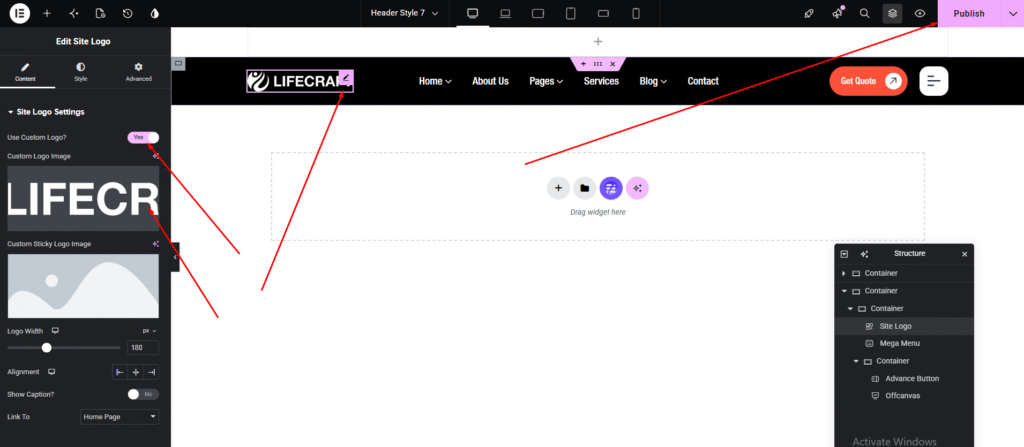
You can now add any content you want to your header.