
The free Envato Market plugin updates themes you bought on ThemeForest right from your dashboard.
- Download it from https://www.envato.com/lp/market-plugin/ and upload it under Plugins → Add New Plugin → Upload Plugin. Activate it.
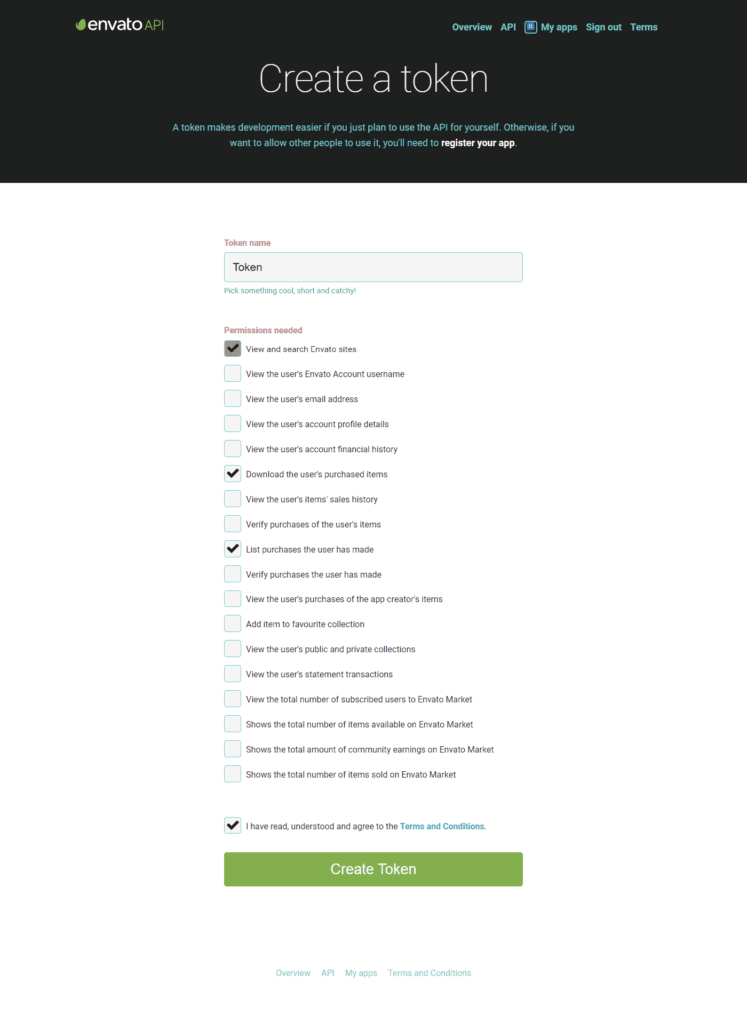
- Open Envato Market in the admin menu and click the link to create a personal token. Give it a name and allow at least “View and search Envato sites”, “Download your purchased items” and “List purchases you’ve made”.
- Copy the token, paste it into the plugin and click Save Changes.
- InfoMag now shows in the list. When an update is out, click Update Available.
Envato does not keep a copy of the token, so store it somewhere safe.