
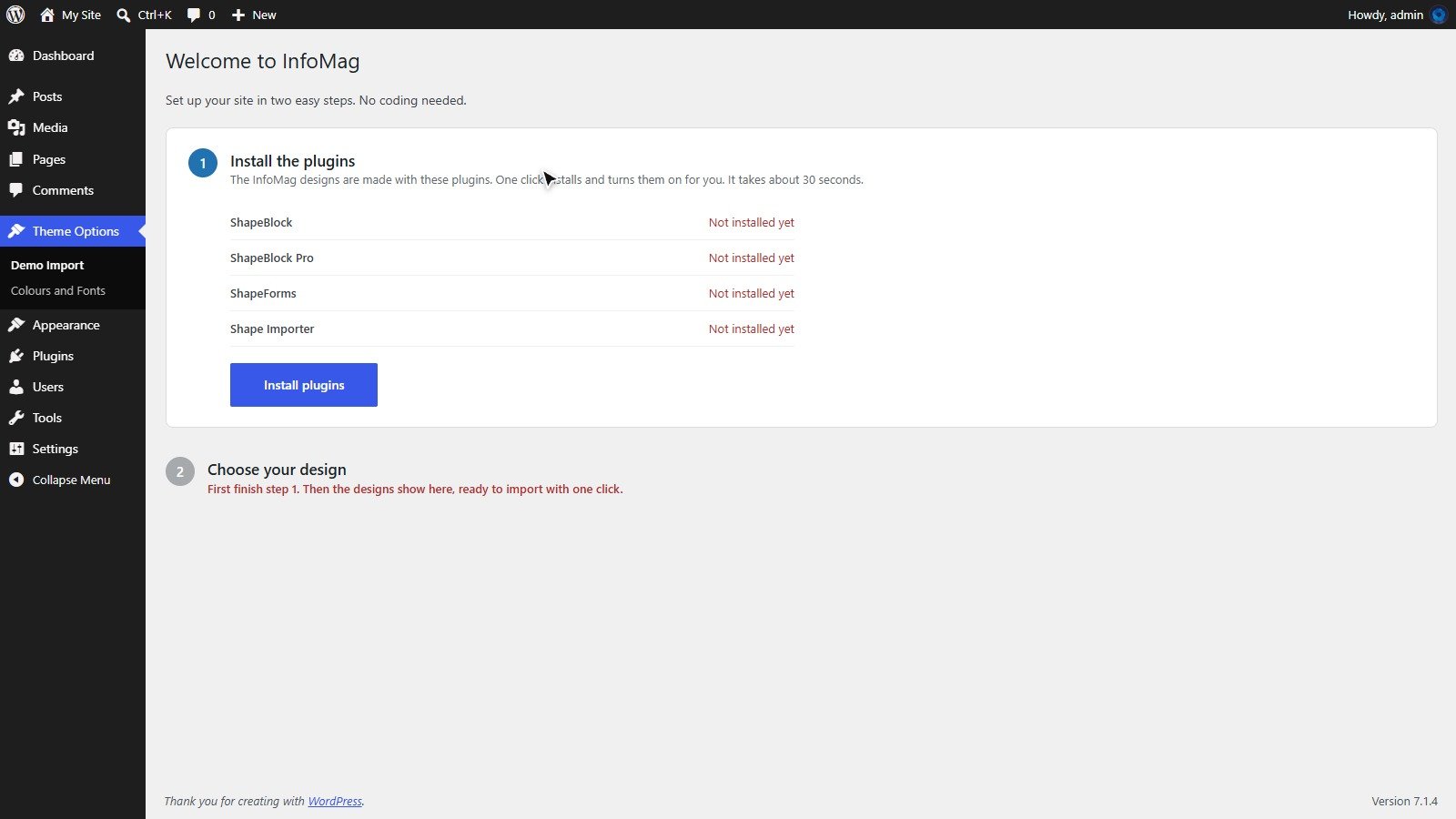
The InfoMag designs are made with four plugins. The setup page installs and turns them on for you with one click, so you do not have to search for them.
- ShapeBlock: the block library and theme builder (free, from WordPress.org).
- ShapeBlock Pro: the extra blocks used by the designs (mega menu, post sliders and more). Included with InfoMag.
- ShapeForms: the newsletter and contact forms. Included with InfoMag.
- Shape Importer: imports the demo designs. You can delete it after the import.
Install the plugins
- Open Theme Options → Demo Import (it opens by itself after you activate the theme).
- In step 1, click Install plugins.
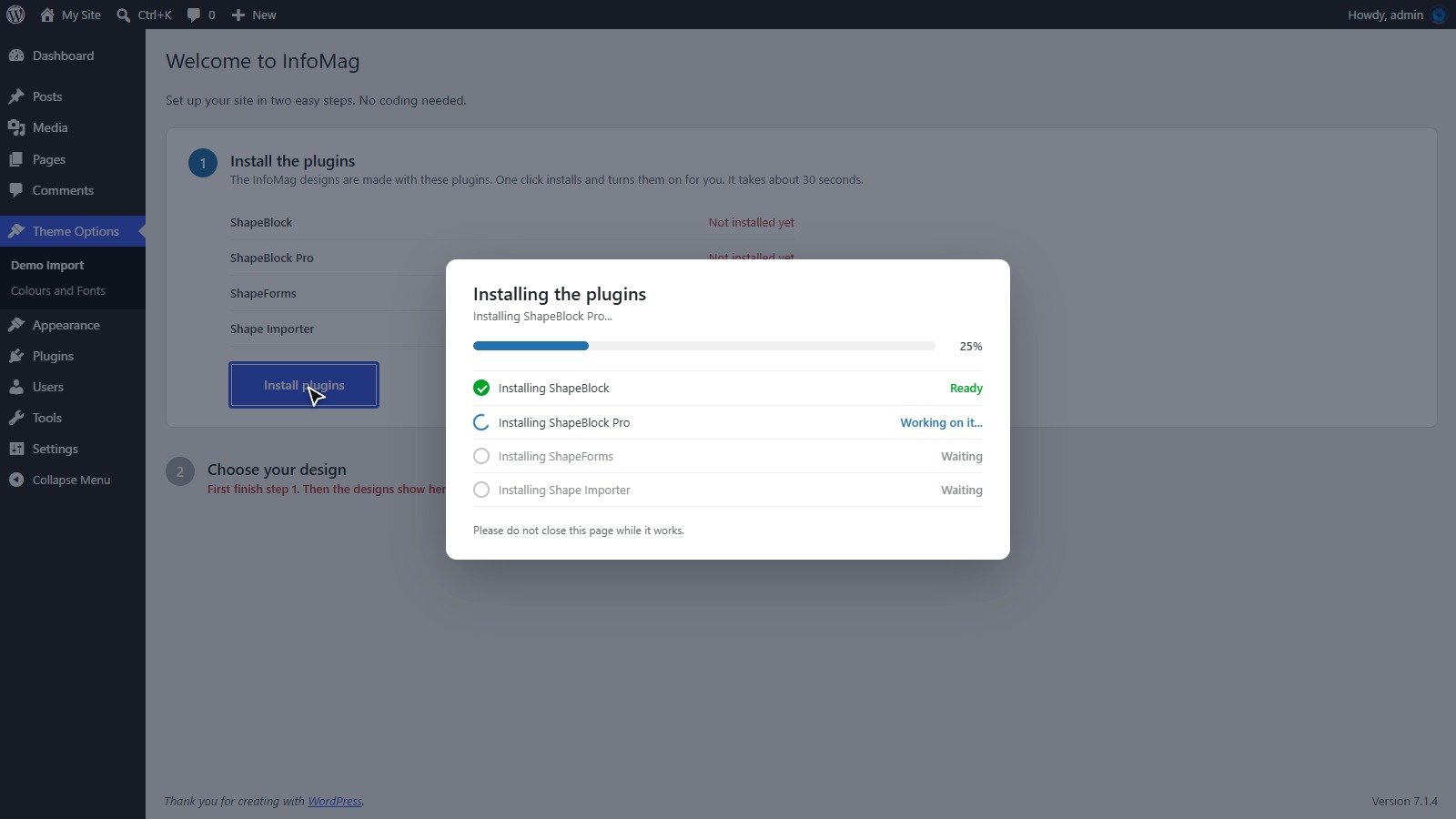
- A window shows each plugin being installed and turned on. It takes about 30 seconds.
- When all four say Ready, the page moves on to step 2 by itself.
Tip: if a plugin fails because the connection was slow, click Install plugins again. Plugins that are already installed are skipped. You can also install them by hand: the zip files are in the plugins folder of the full ThemeForest download. Upload them under Plugins → Add New Plugin → Upload Plugin.