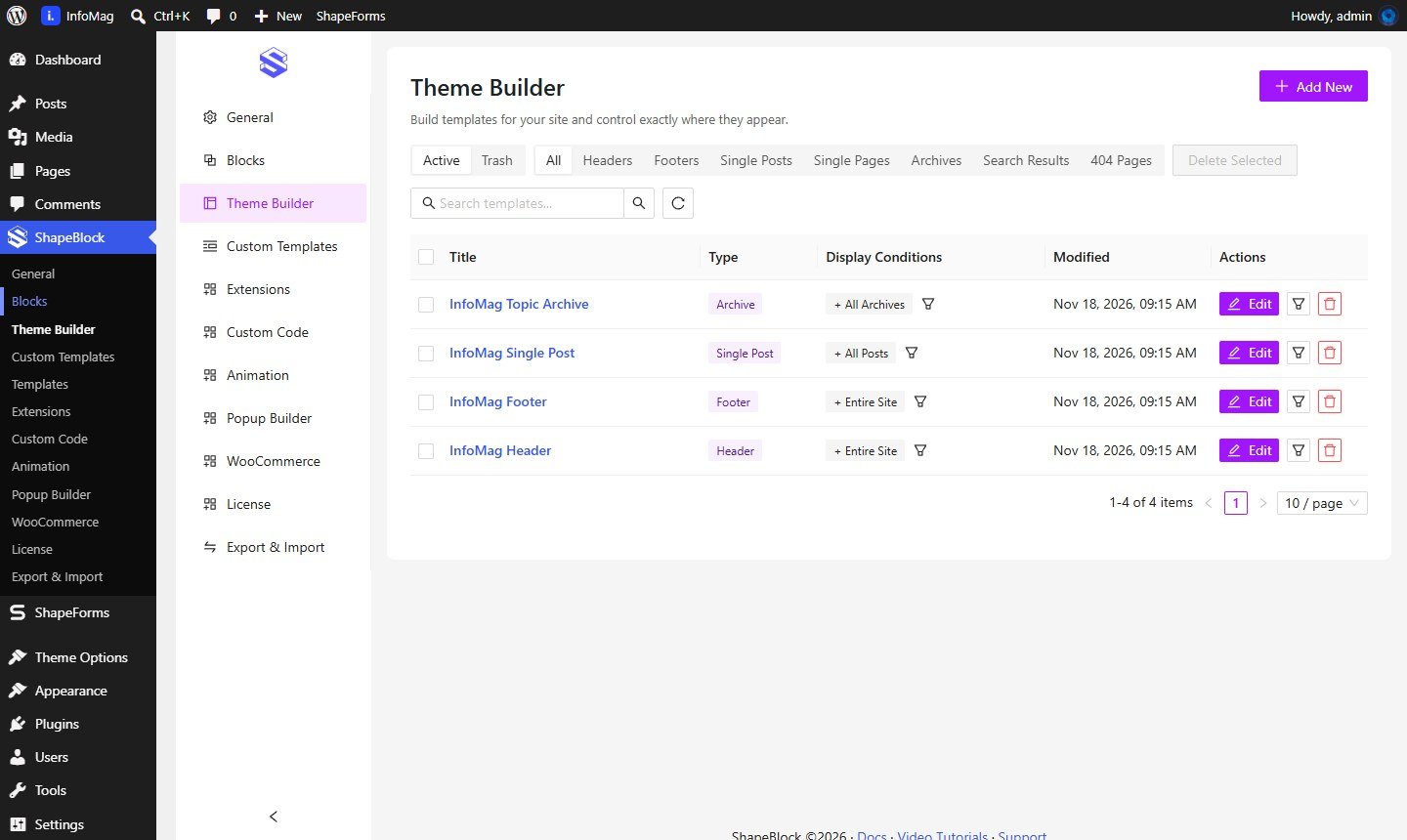
The header, footer, single post and category pages of the demo are templates made in ShapeBlock → Theme Builder.
Go to ShapeBlock → Theme Builder.
Click Edit next to InfoMag Header. It opens in the normal block editor.
Click any part to change it: the logo, the menu, the search and dark mode icons, the Subscribe button or the news ticker at the top. Settings show in the right sidebar.
Click Save. The new header shows on every page.
The Display Conditions column shows where a template is used (for example Entire Site). Click the filter icon in that row to change it.