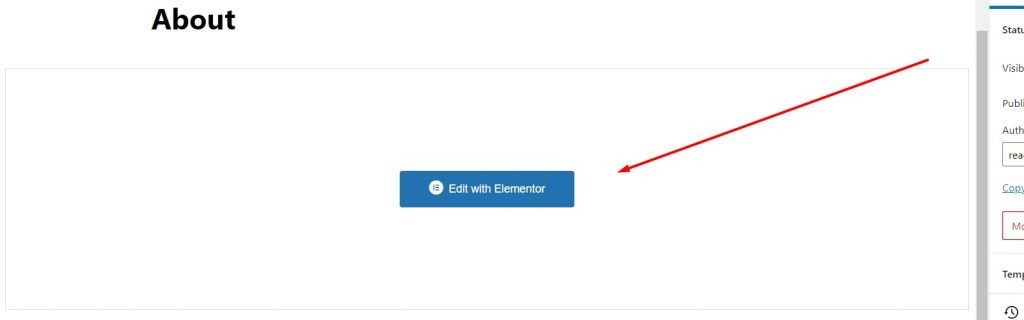
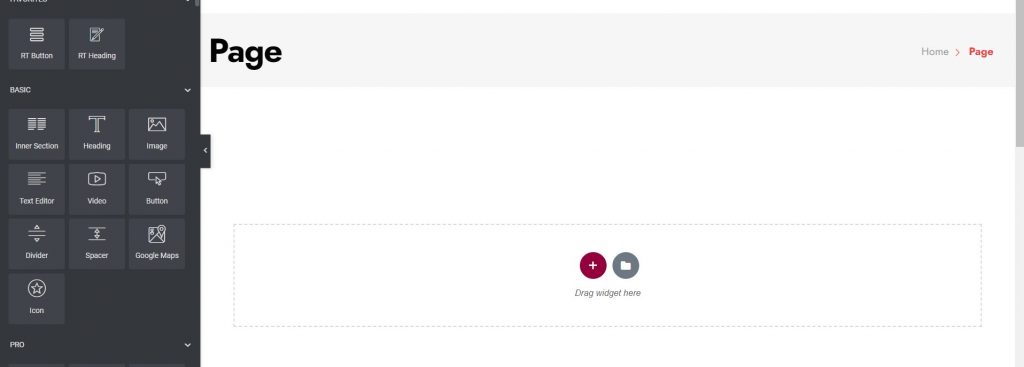
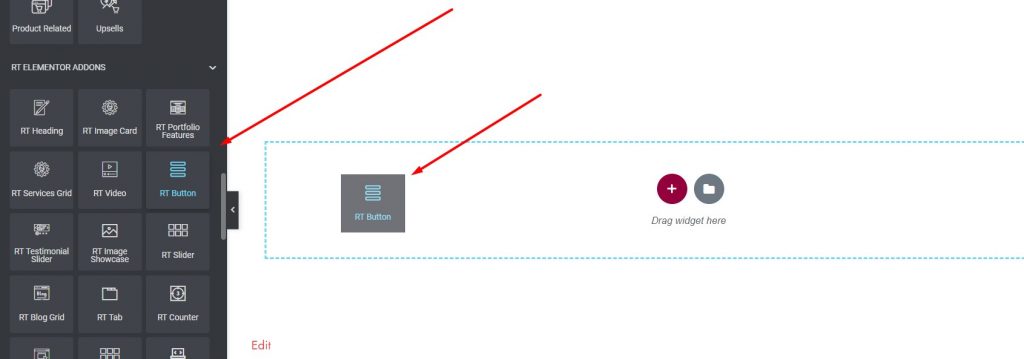
Theme Requirements Theme Installation Required Plugins [1] Plugins Documentation and Video Tutorials Importing Demo Content Theme Options [9] General Color Header Layout Typhography Footer Layout Blog Settings Shop Settings Product Single Blog Single Set Primary/Edit Primary Menu Edit Header Information Edit Footer Information Elementor [1] How to add new widget to elementor WooCommerce [1] Adding Product Translations Troubleshooting [2] Demo content installation Failed 404 Error in all pages Contact Home / Documentation / Ekomart – Ecommerce WordPress Theme / Elementor How to add new widget to elementor To use Elementor, you click the Edit with Elementor button Then you will see default elementor preview check below Then, you choose an any widget, drag and drop it from the left area to the right panel Was this page helpful? Yes No Leave a Reply Cancel replyYour email address will not be published. Required fields are marked *Comment * Name* Email* Website Save my name, email, and website in this browser for the next time I comment.