
Check below video how can edit Heder/footer Information
Need video for Edit header options in Ekomart
First, go to Easy Elements → Header & Footer.
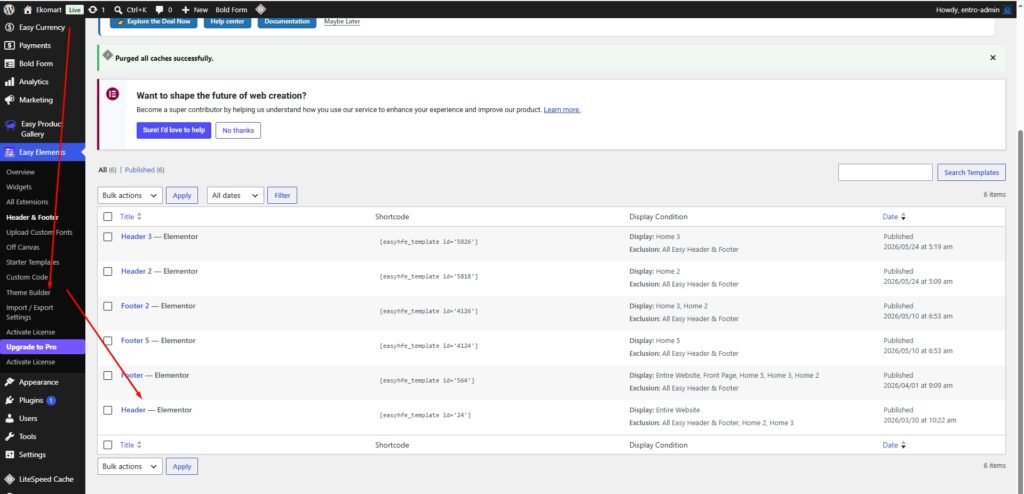
Then select any header you want to edit and just click to edit with elemtentor
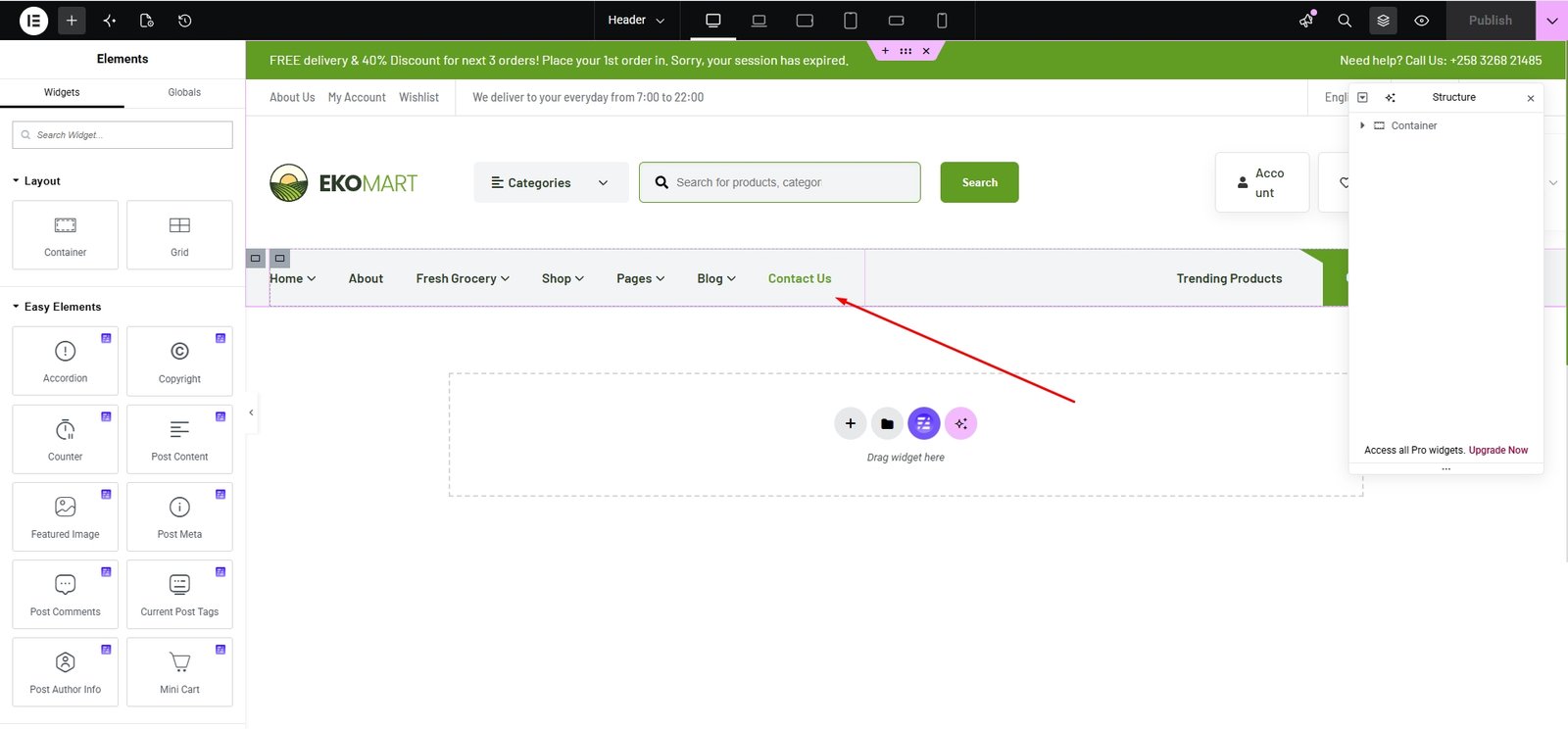
Then you can easily add your site logo, menu, and any other elements you want using Elementor. You can build and customize everything effortlessly with the drag-and-drop system.