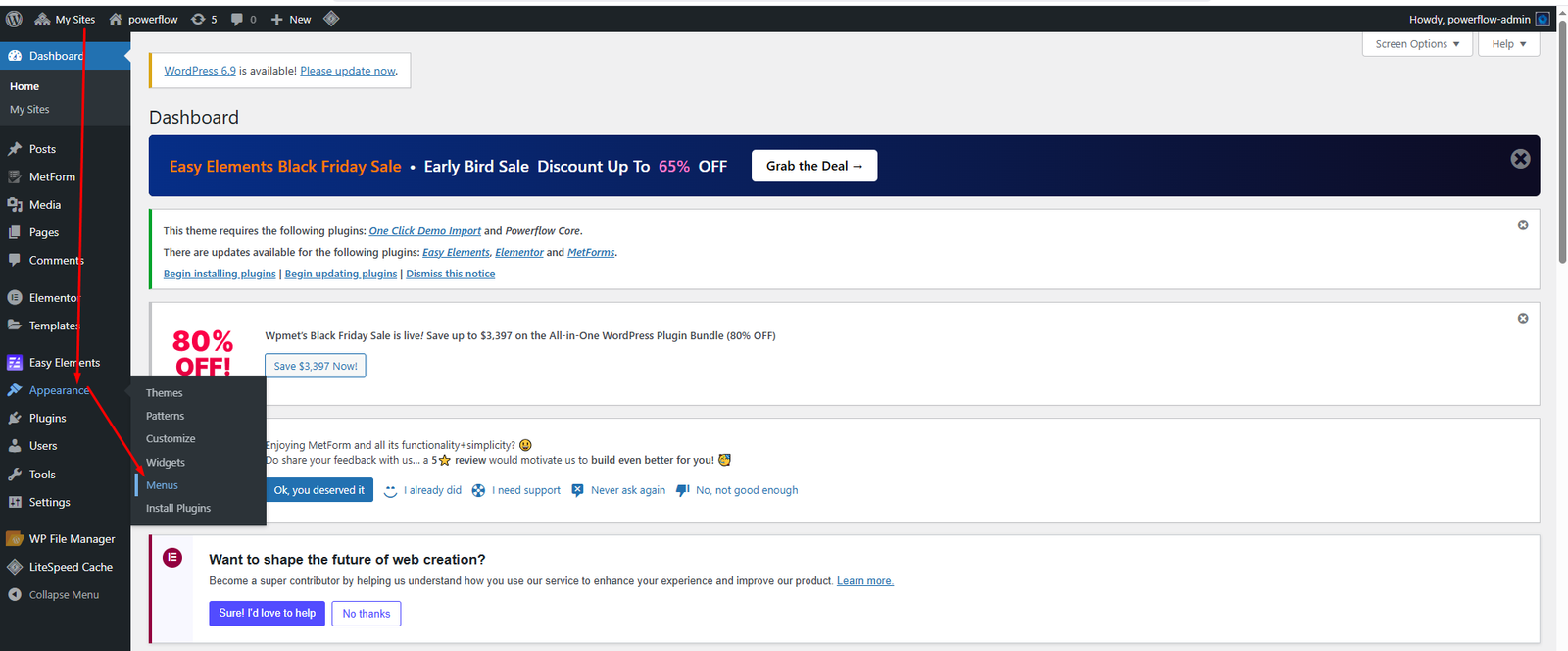
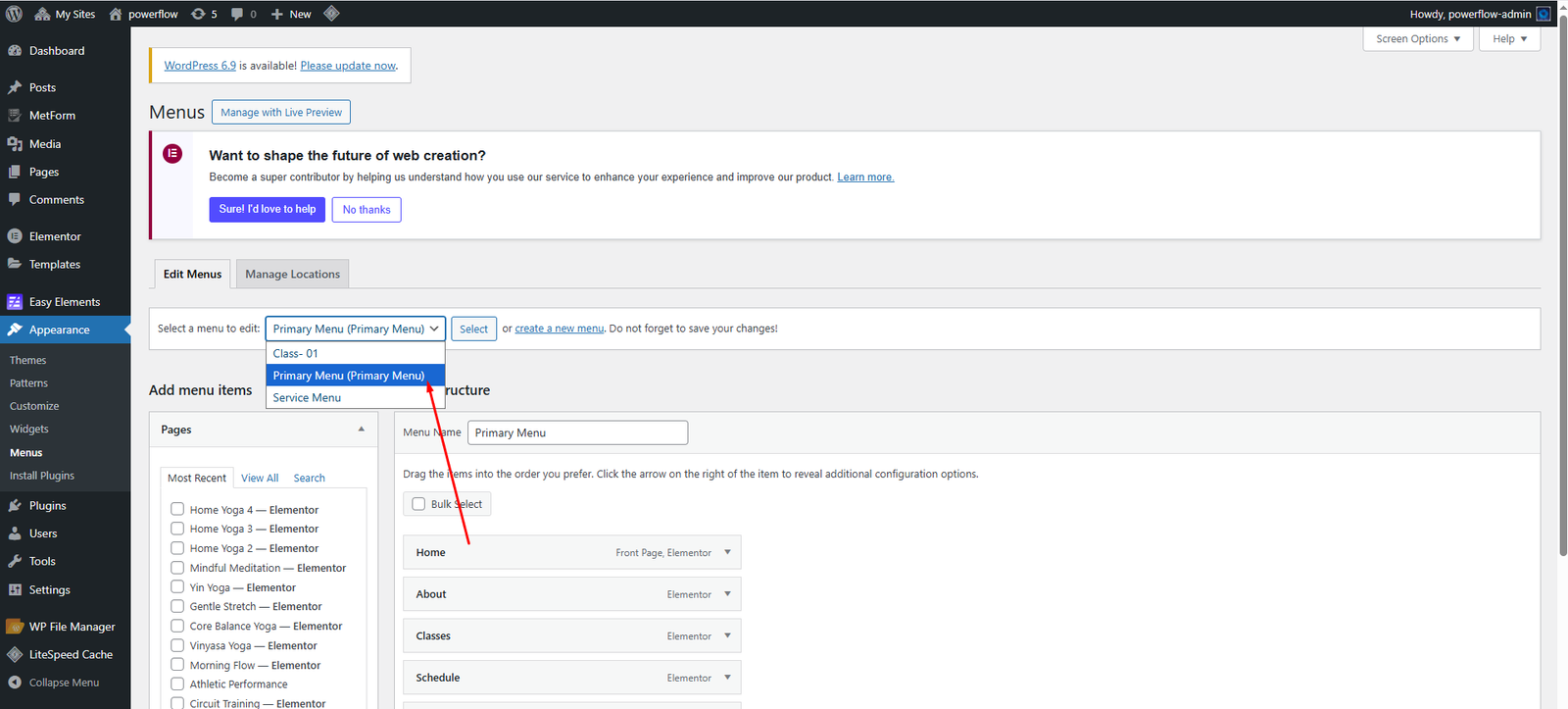
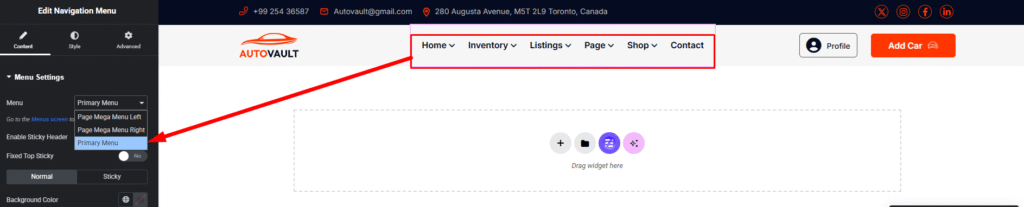
Requirements Getting Start Theme Installation Required Plugin [1] Plugins Documentation and Video Tutorials Importing Demo Content How To Set Default Home Page Theme Customization Options [6] General Settings Site Settings Color & Typography Settings Header and Footer Settings 404 Page Blog & Single Blog Settings Edit Header Information Edit Footer Information Menus Create & Setup [2] Mega Menu Mega Menu Edit Elementor Widget [2] Widget On/Off Extension On/Off Motors – Car Dealer, Classifieds & Listing – Options [11] Plugin Settings Custom Fields Settings Listing Settings [4] Listing Create Listing Template Default Single Listing Settings Listing Creation Form Search Settings [2] Search Results Page Search Filters Features Setting Troubleshooting [2] Demo content installation Failed 404 Error in all pages Update The Theme [3] Envato Market Plugin Manual Update Update by FTP Locate your Envato Item Purchase Code Contact Translations Home / Documentation / AutoVault- Car Dealer And Automotive WordPress Theme Menus Create & Setup Create and setup a menu. Our all theme same way you can change Menu Info Appearance -> Menus You can create menu from here as your own name. Then you can use your created menu any where in your elementor editor with Navigation Menu Widget. Mega Menu Mega Menu Edit Doc navigation < Edit Footer Information Elementor Widget > Was this page helpful? Yes No Leave a Reply Cancel replyYour email address will not be published. Required fields are marked *Comment * Name* Email* Website Save my name, email, and website in this browser for the next time I comment.