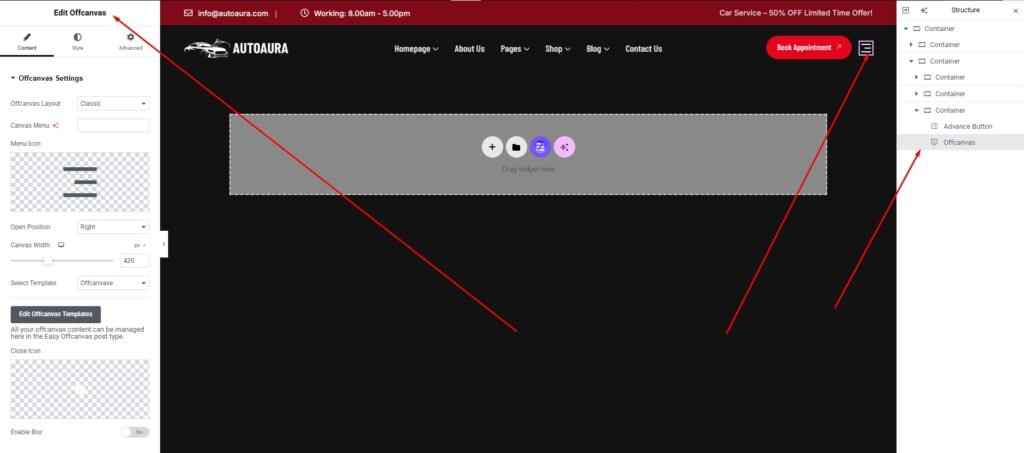
If you want to use an offcanvas menu in your header, simply drag and drop the Offcanvas widget from the widget list. Once you place it, you’ll find several settings options, such as Offcanvas Layout, Menu Icon, Open Position, and Canvas Width.
The most important option is Select Template. This allows you to display any template inside the offcanvas menu. Simply create a template using Easy Element Offcanvas Settings, then select that template from the Select Template option to activate it in your offcanvas menu.