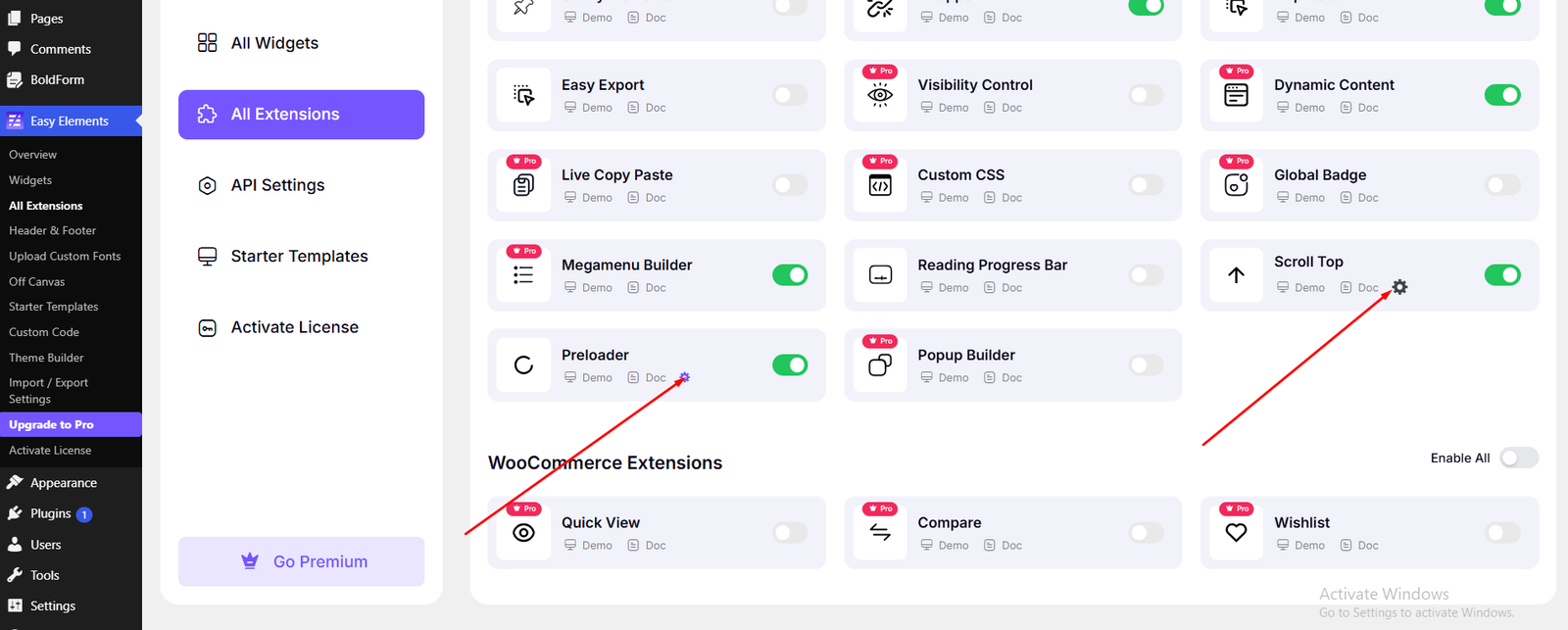
Appearance -> Customizer -> Techlix Options -> General Settings
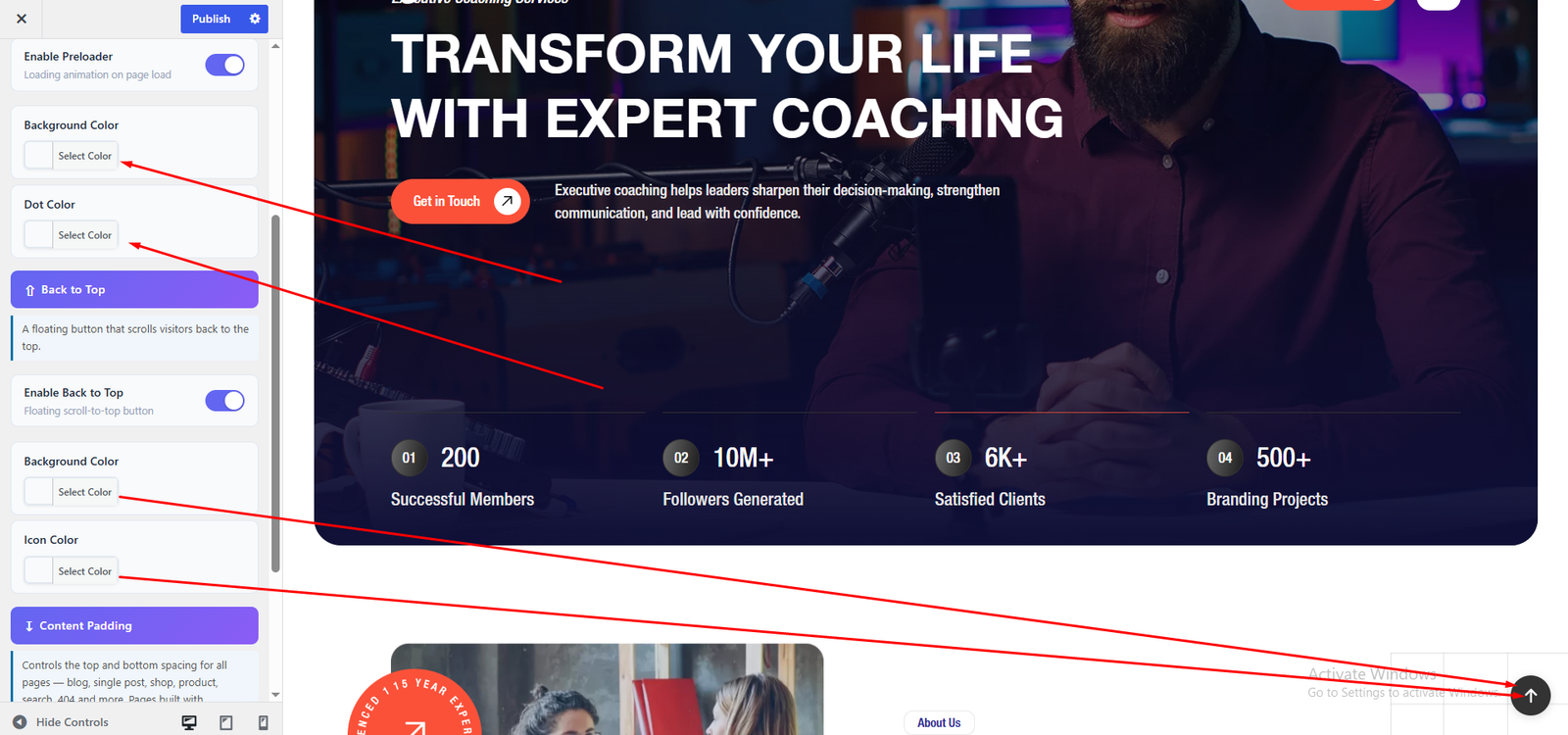
At General section you can do below things
- Preloader On/Off
- Preloader Background Color
- Preloader Dot Color
- Back To Top On/Off
- Change Scrollbar Color
- Publish Changes
This Preloader & Scroll Top will only work when the “Preloader & Scroll Top” option in Easy Elements is turned off or the Easy Elements plugin is inactive.

You can set the preloader and change the Scroll to Top button color here.
For more Preloader and Scroll to Top options, go to:
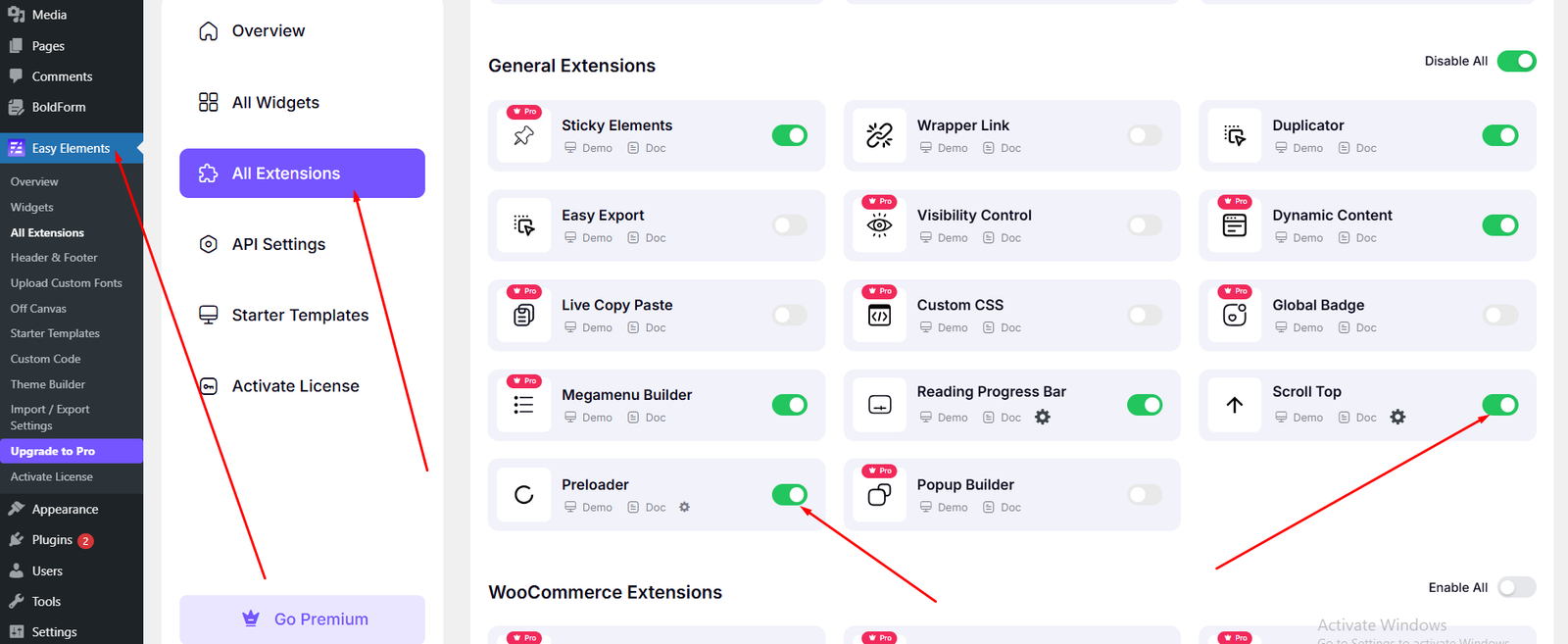
Dashboard → Easy Elements → All Extensions
- Preloader
- Scroll top
Simply click the button to enable or configure the feature.
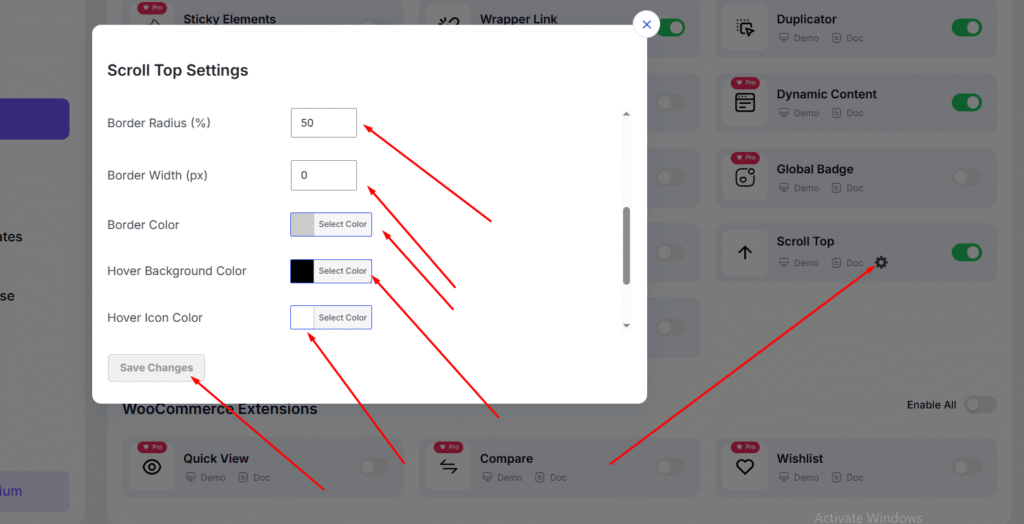
You can change the color by clicking the Settings icon. A popup will appear, where you can customize the color.