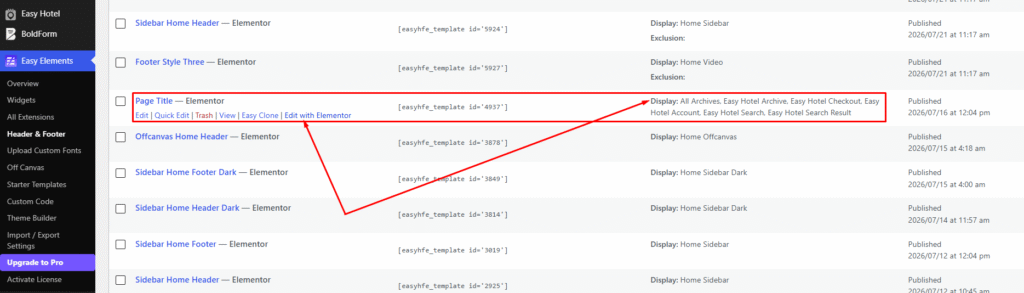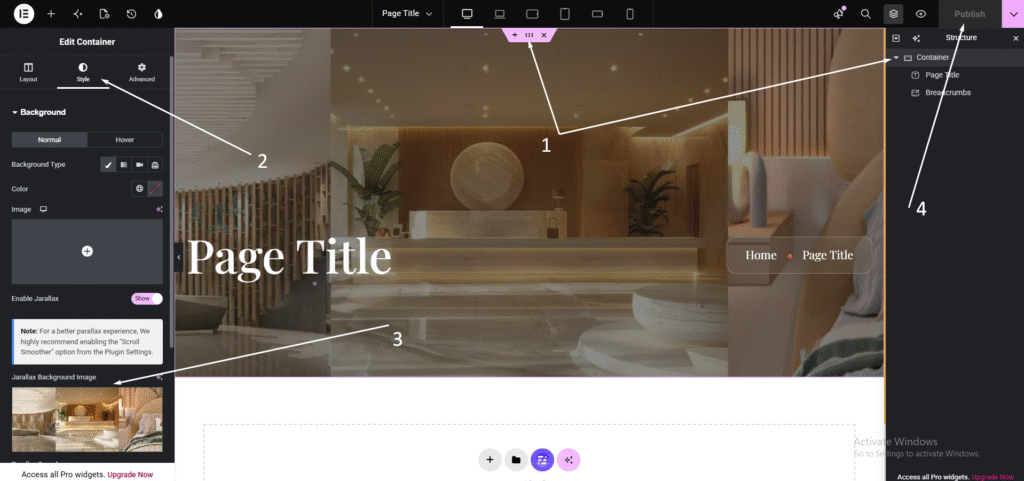
You can customize the Archive Page title banner image from the Page Title template.
- Go to Easy Elements → Header & Footer → Page Title.
- Click Edit with Elementor. Select the banner image widget and upload a new image.
- Click Publish to apply your changes.