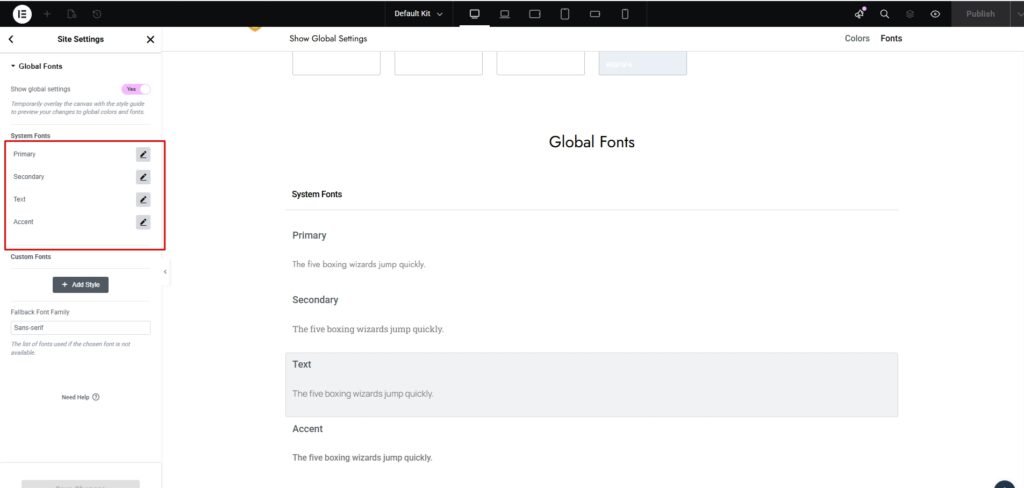
If you want to change your site elementor global settings click this button.
Appearance -> Customizer -> Regalis Options -> Typography Settings
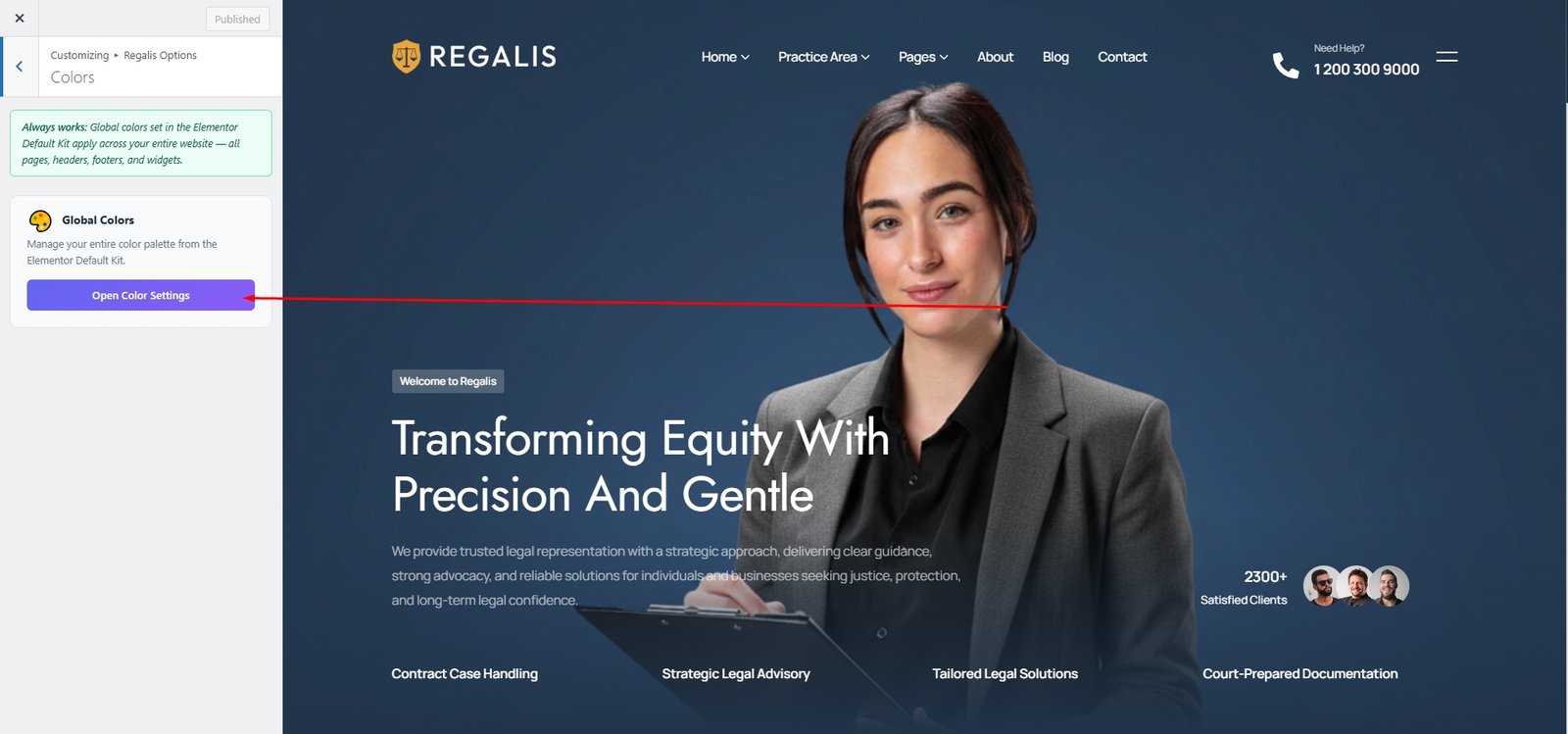
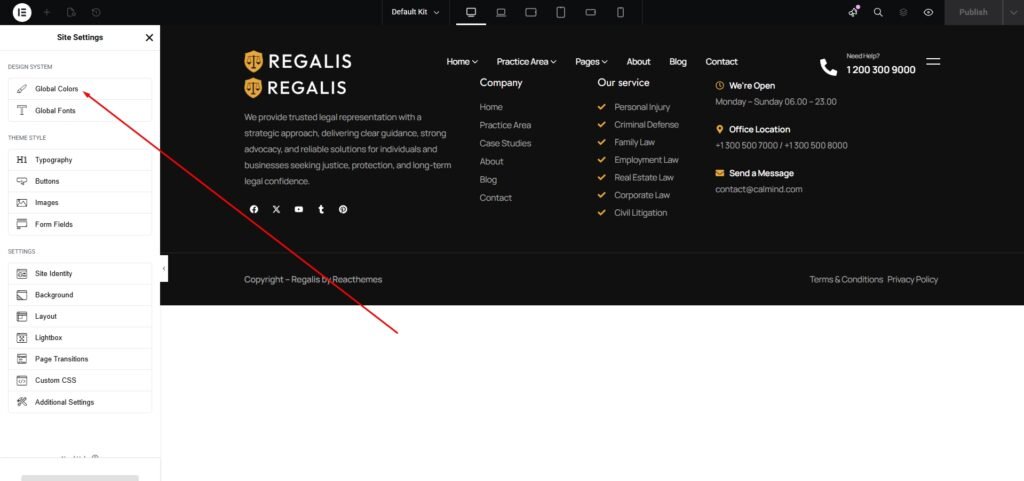
Click on Global Colors to customize your website’s color scheme.
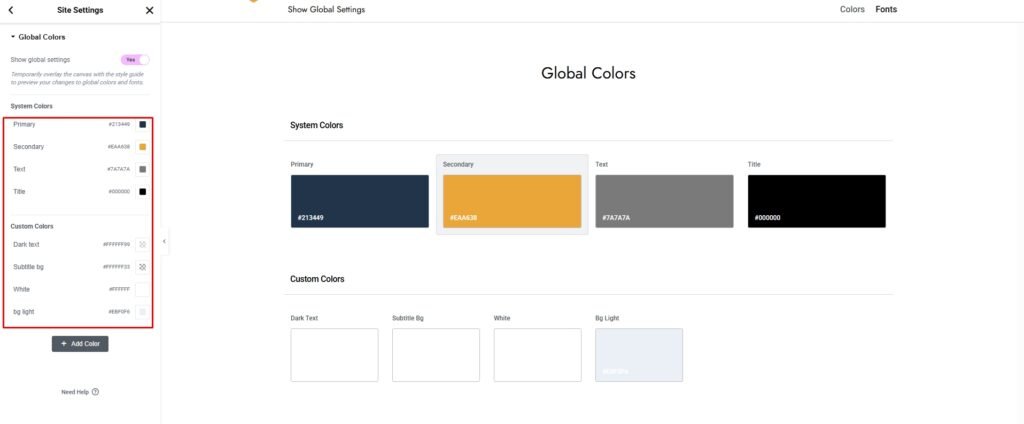
Personalize your entire website with flexible color options, giving your brand a unique and cohesive look.
Appearance -> Customizer -> Regalis Options -> Typography Settings
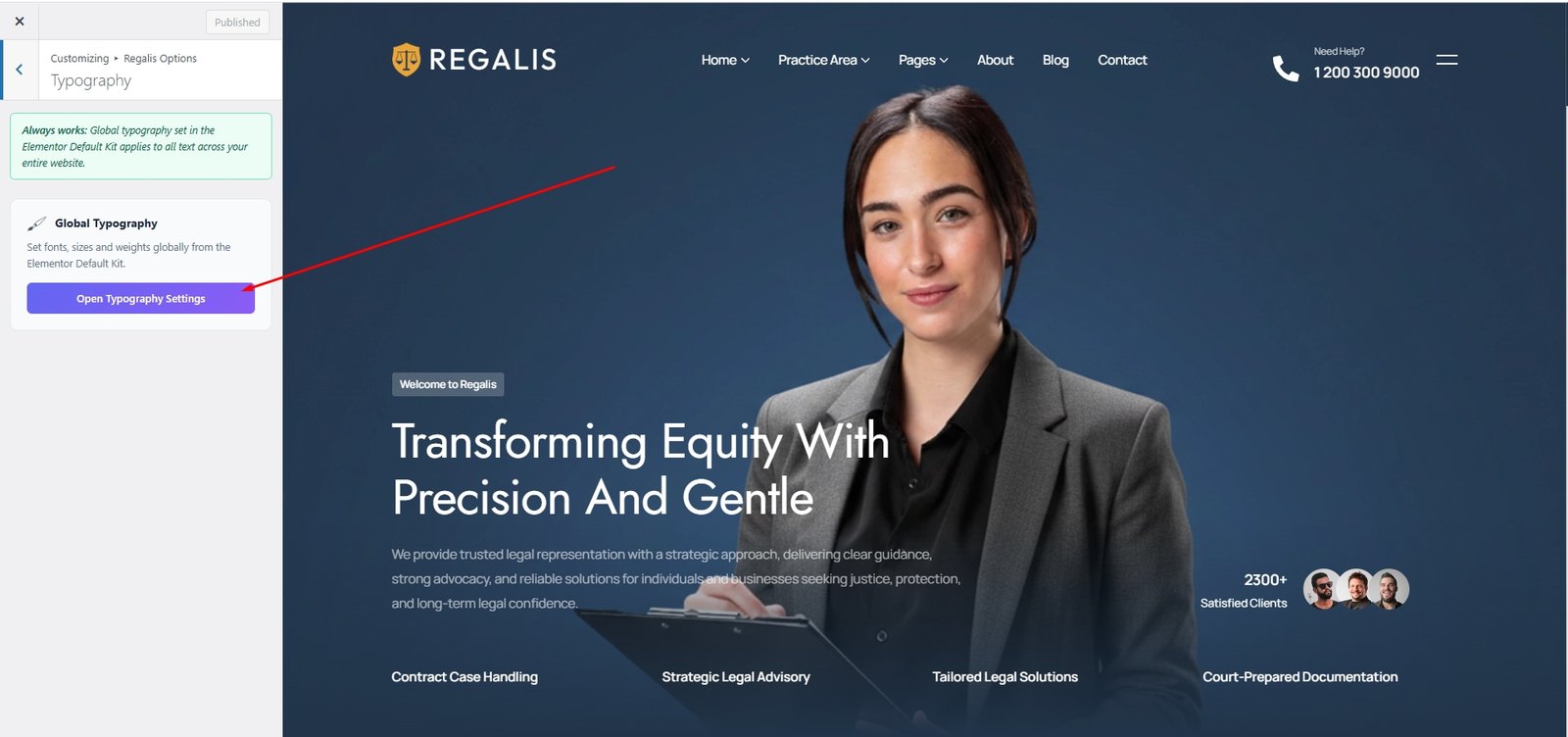
Click the Global Typography link to access Elementor’s global typography settings.
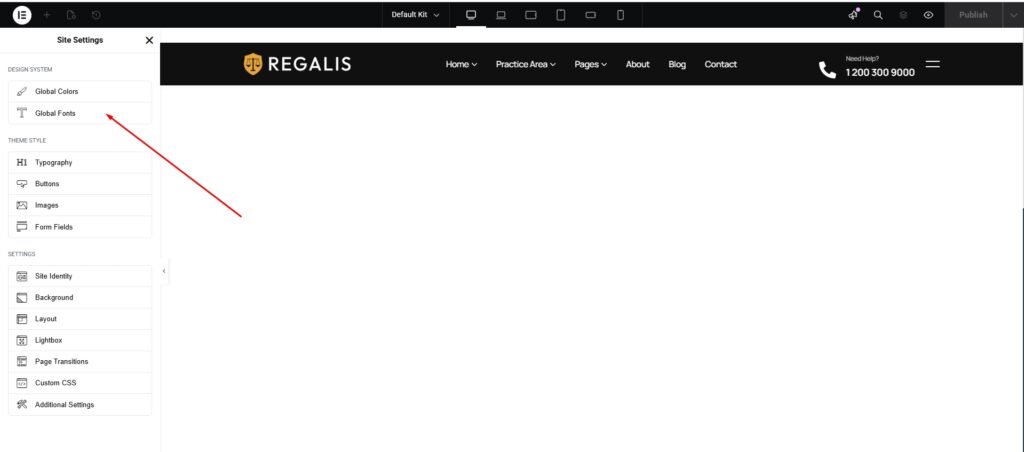
Personalize your entire website with flexible typography options, ensuring your brand maintains a consistent and distinctive look.