
When you want to use single page templates, what you have to do.
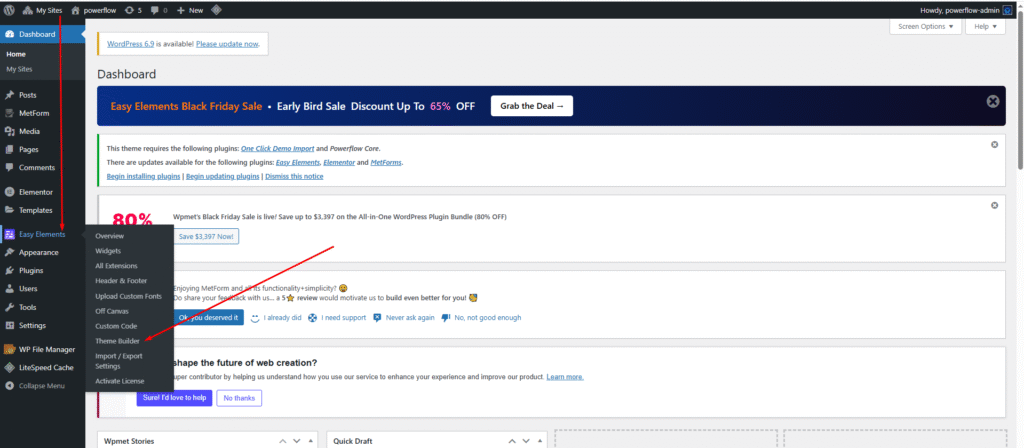
Go to the Dashboard, hover over Easy Elements, then click on Theme Builder.

You find single Post Template here. This style showing your single blog post details.

We’ve included the Post Content and Post Comment widgets from Elementor by default. But you can add anything you want to your single blog page template. This gives you full control—allowing you to display any content or element to your visitors exactly the way you like. Also you can design your sidebar content easily without go to Customizer blog single sidebar.

Here is the final output of your single blog page. We hope you’re enjoying it! We use Theme Builder to give you full control over editing your single blog template. With our Easy Elements plugin bundle, you’ll have access to all the essential widgets needed to customize your blog page exactly the way you want.