If you want to change your site elementor global settings click this button.
Appearance -> Customizer -> Powerflow Theme Options -> Color Settings
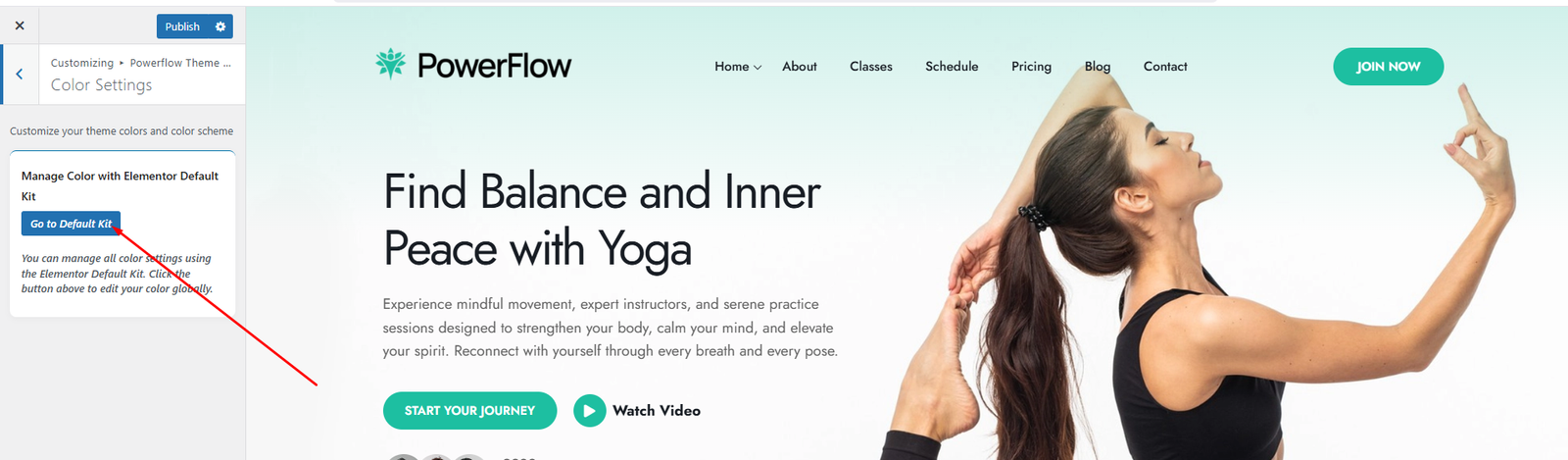
Click Go to Default Kit button and going this this elementor global site settings option.
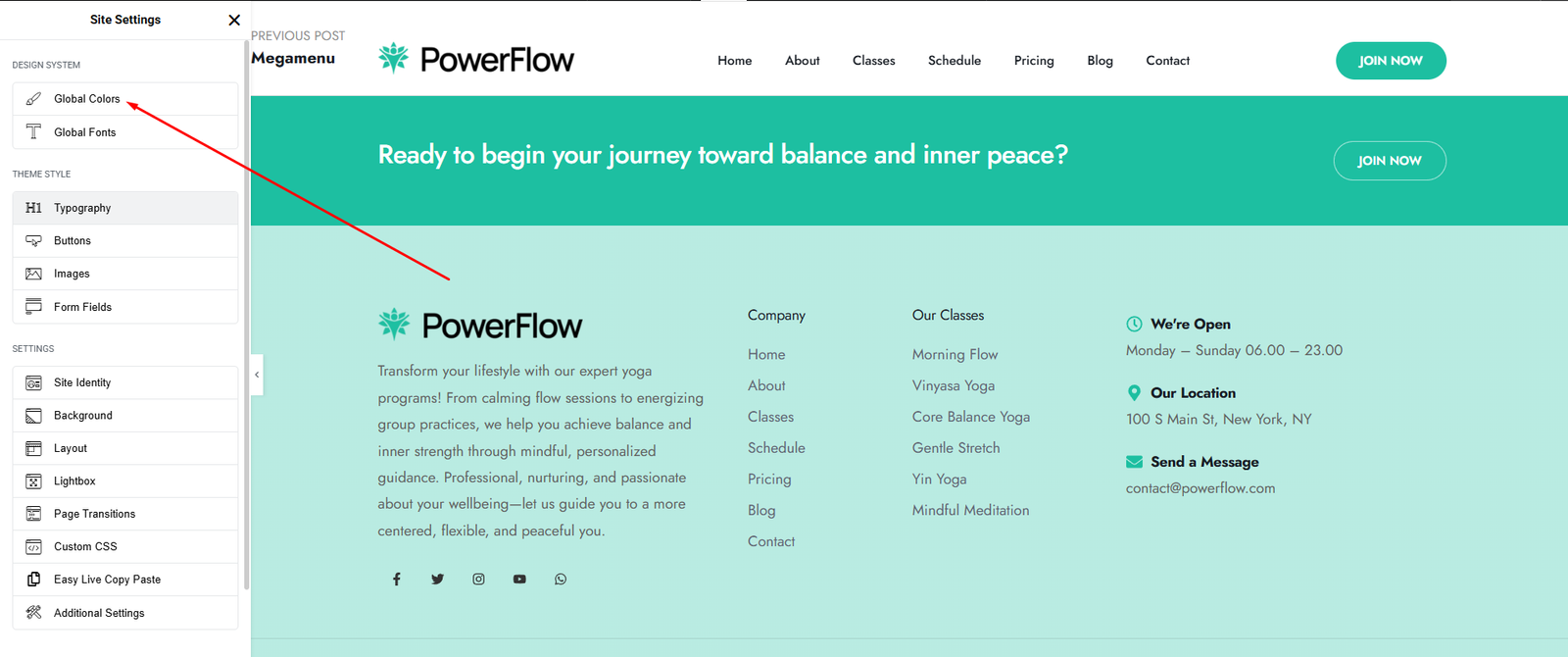
Click the Global Colors link to access Elementor’s global color settings.
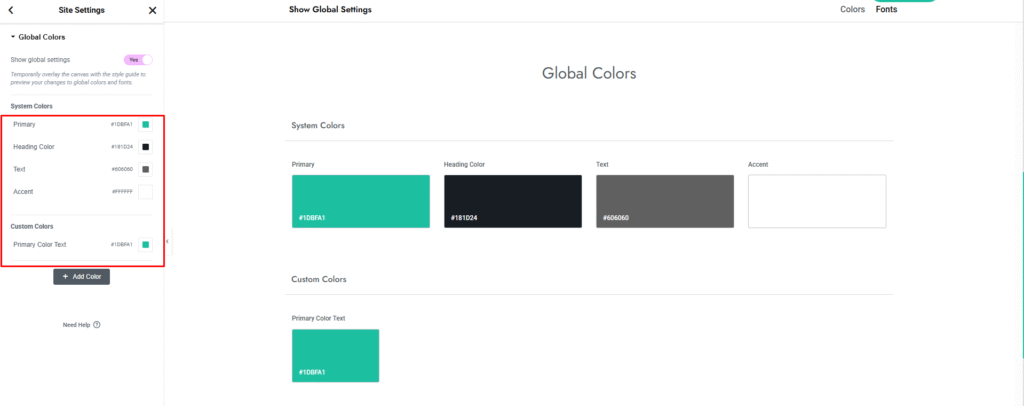
You can set your site primary, secondary, text and accent and Custom color as your need. If you want to change your site primary color. you just change from here and your all site primary color has been change instantly.
Typhography Settings.
Appearance -> Customizer -> Powerflow Theme Options -> Typhography Settings
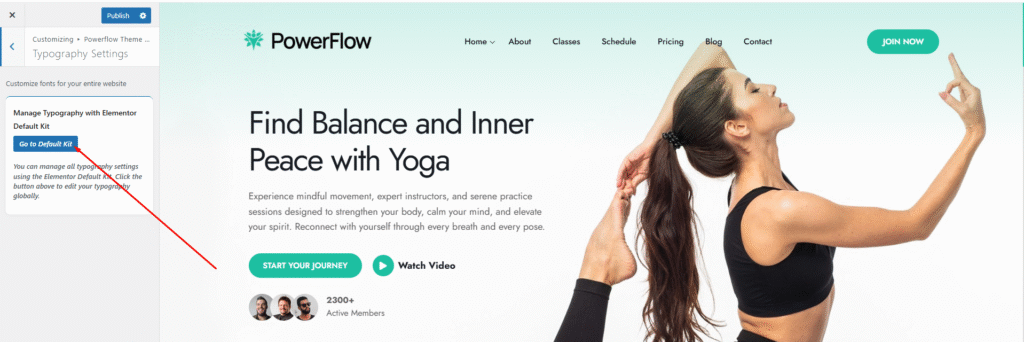
Click Go to Default Kit button and going this this elementor global site settings option.
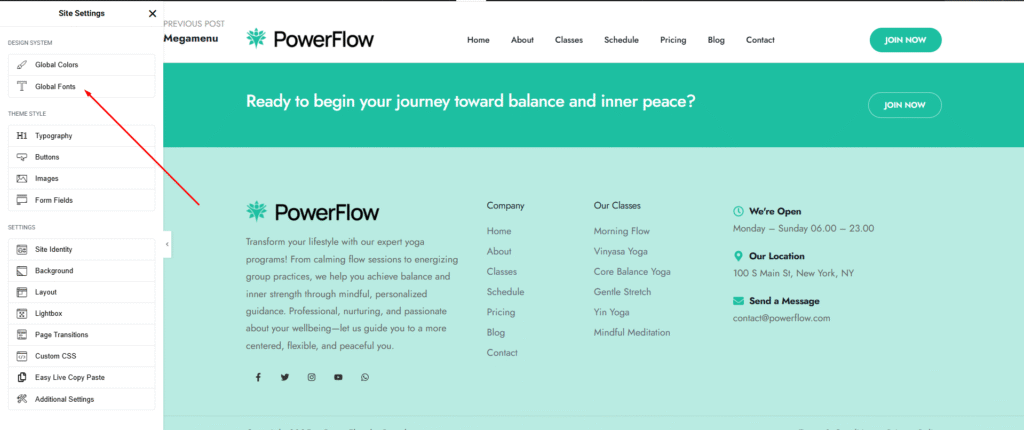
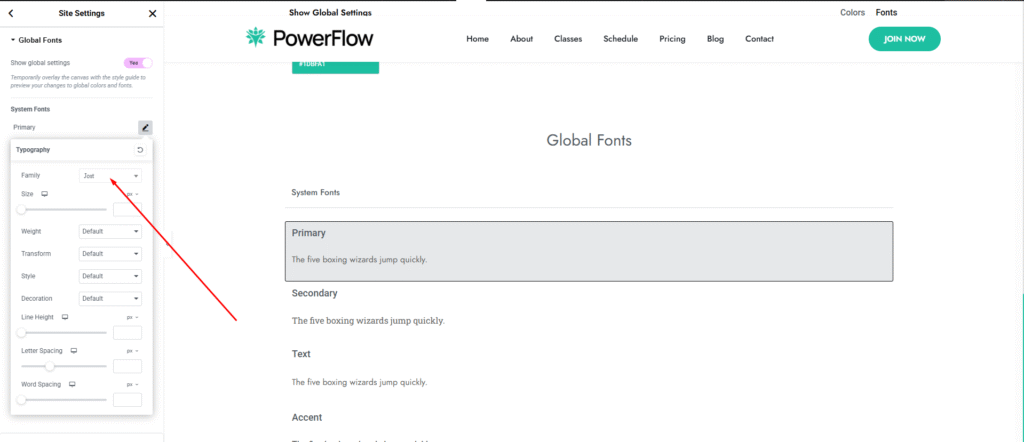
Click the Global Fonts link to access Elementor’s global Fonts settings.
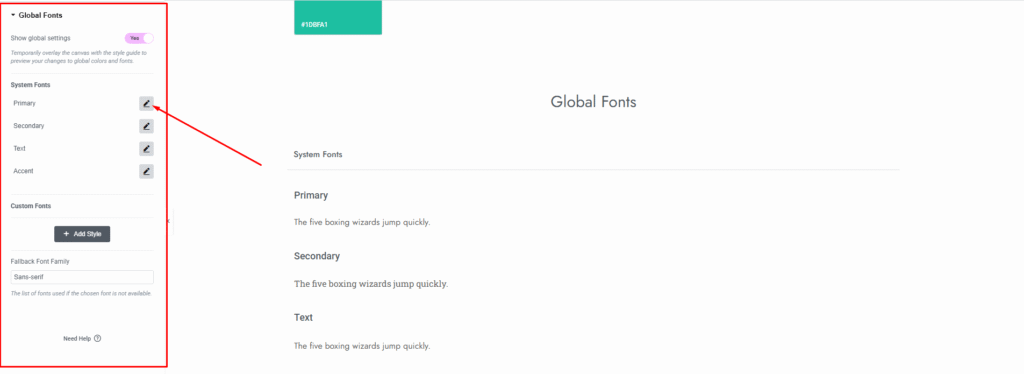
You will see an interface like this, where you can select a font from the dropdown menu.